
More time at the apiary, less at the screen - bulk actions in QueenBees
- QueenBees Team
- News , Features
- April 30, 2026
During peak breeding season, every minute counts. We know you would rather spend your time at the hives than in front of a screen, that is why we have prepared two new features that significantly reduce the time needed to manage queens in the system.
Instead of opening each hive individually, you can now handle an entire location in just a few simple steps.
Distributing a queen batch to empty hives
When you have a batch of hatched queens or queen cells ready for mating nucs, you no longer need to assign each queen to a hive by hand.
All you need to do is:
- Open the Batches section in the left menu
- Click the three dots next to your batch and choose Distribute
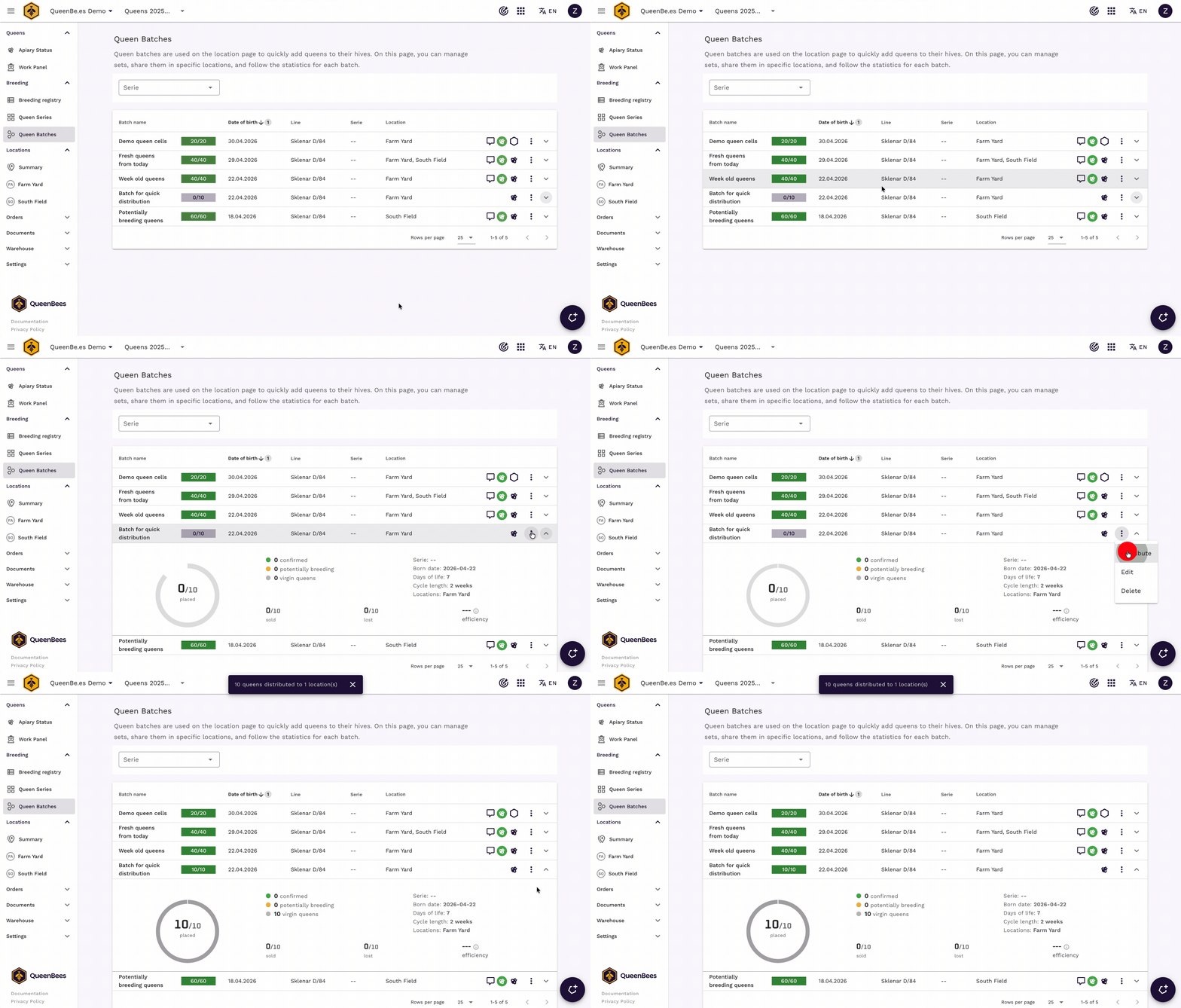
The system will assign queens to empty hives across all configured locations, following the limits you set up earlier. If a particular location has no empty hives, it will simply be skipped — no queen goes where there is no room.
The benefit: You save the time you previously spent manually assigning queens to each hive one by one. With 50 hives, the difference is real — a few seconds instead of a good fifteen minutes of repetitive work in the system.
Fast queen take out after the mating cycle
When the mating cycle is over, it is time to collect the ready queens. Until now, you had to open each hive individually in the system and mark the queen as taken. With several dozen hives, that is repetitive, time-consuming work.
Now you simply open the menu on the location card, choose Fast queens take out, enter how many queens you collected from the apiary and how many unfortunately did not mate, and confirm.
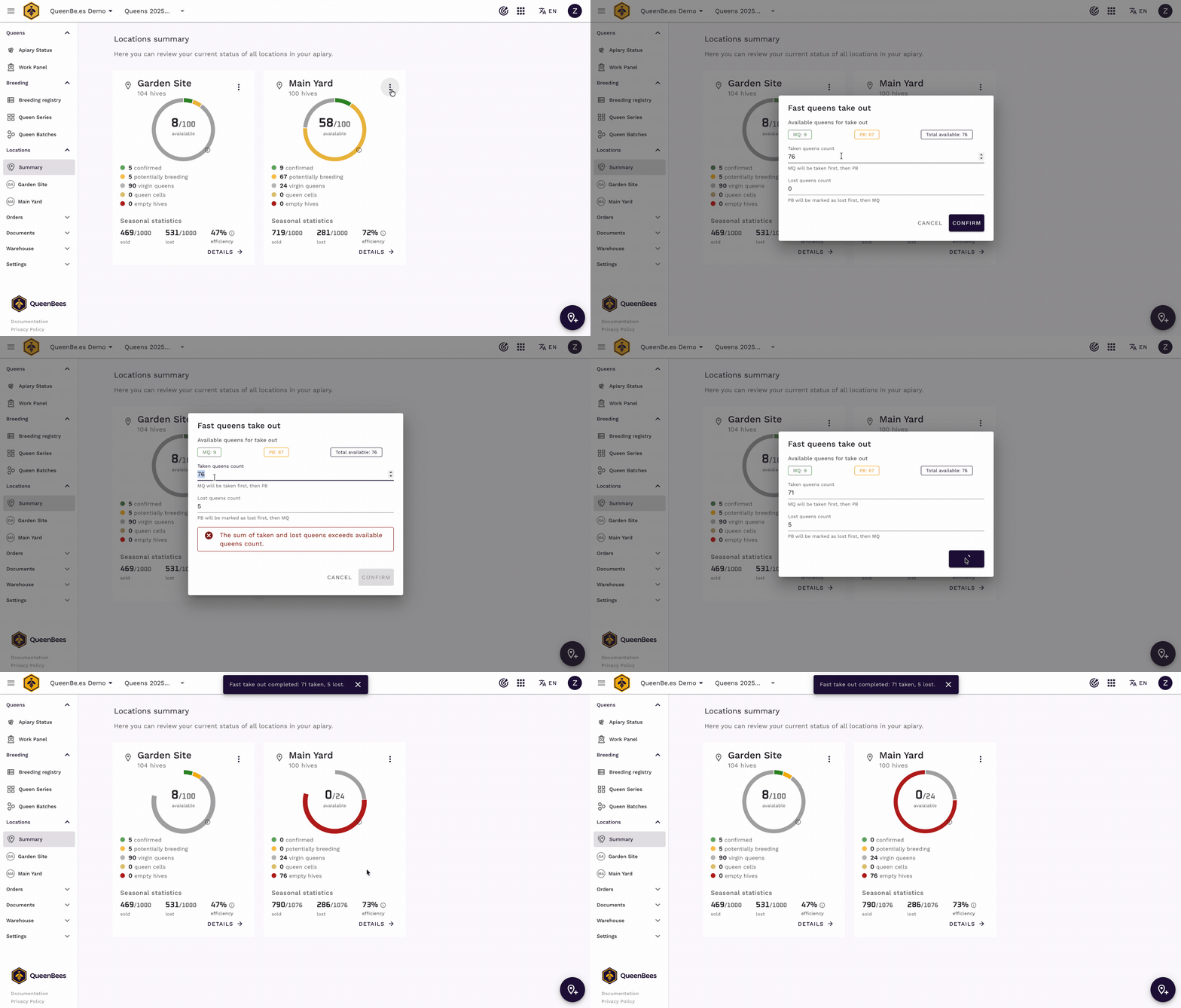
The system takes care of the correct order — when collecting, it marks confirmed mated queens (MQ) first, then potentially breeding (PB). For losses, it works in reverse, starting with PB.
If you are working with only part of a location, you can also collect queens from a specific section — just open the menu next to that section’s header.
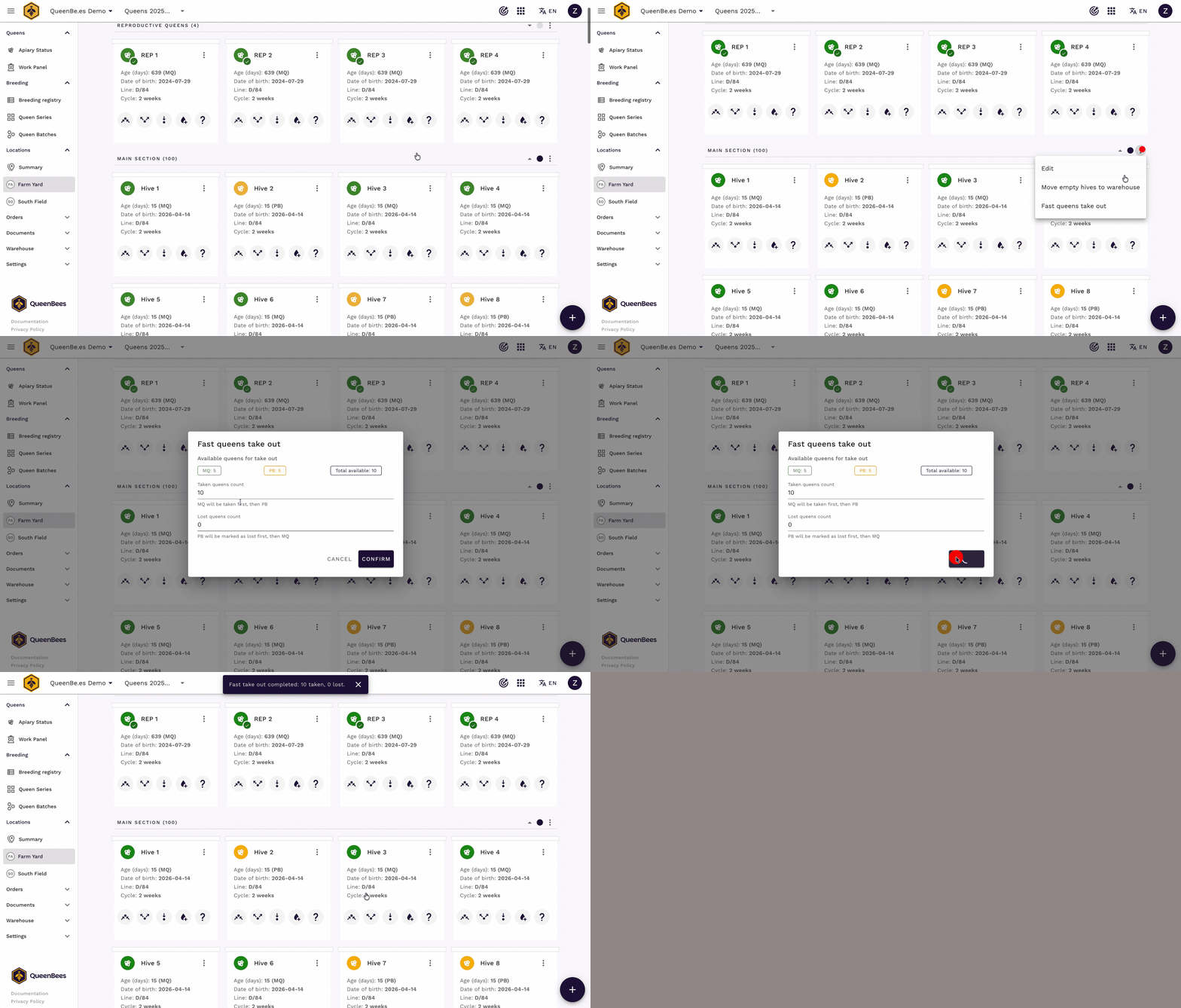
The benefit: After returning from the apiary, updating the system takes just a moment instead of clicking through dozens of hives one at a time. Your statistics and production forecasts immediately reflect the actual state of things.
How both features support your production cycle
Both bulk actions naturally complement each other in daily work:
- You distribute a batch — queens go into empty hives for mating
- After the cycle, you use Fast take out — ready queens go to your warehouse, and losses are recorded
- The hives are empty again and ready for the next batch
This means a full production cycle no longer requires manually editing individual hives — which makes a real difference when you are managing dozens or hundreds of hives.
Where can I find detailed instructions?
We have prepared a step-by-step guide that covers all options and possible scenarios:
- Complete guide to bulk actions — description of both features with illustrations
- Queen batches documentation — how to create and configure batches
If you need help with your first use, we are happy to walk you through the entire process.
Have questions? Write to info@queenbe.es or contact us on WhatsApp. We respond within 24 hours.