Phishing warning: QueenBees never asks for password changes
- QueenBees Team
- Security , Tips
- January 29, 2026
In today’s world, online scams like phishing are becoming increasingly sophisticated. As a queen bee breeder or beekeeper, you likely use various online tools, including our QueenBees platform. We want to warn you about dangerous attempts to steal your data, especially password changes.
We have received information that scammers are also trying to impersonate our email address to steal access passwords.
QueenBees never asks for password changes via email
Remember: QueenBees never, under any circumstances, sends emails asking for password changes or login details. If you receive a message that appears to be from us and includes a request for an immediate password change, delete it immediately and do not click any links.
All password changes in QueenBees are done exclusively through the official website queenbe.es in the account settings section. We never provide links for password changes in emails.
What to look for to avoid phishing?
Scammers try to imitate real messages, but there are always some inconsistencies. Here are key tips:
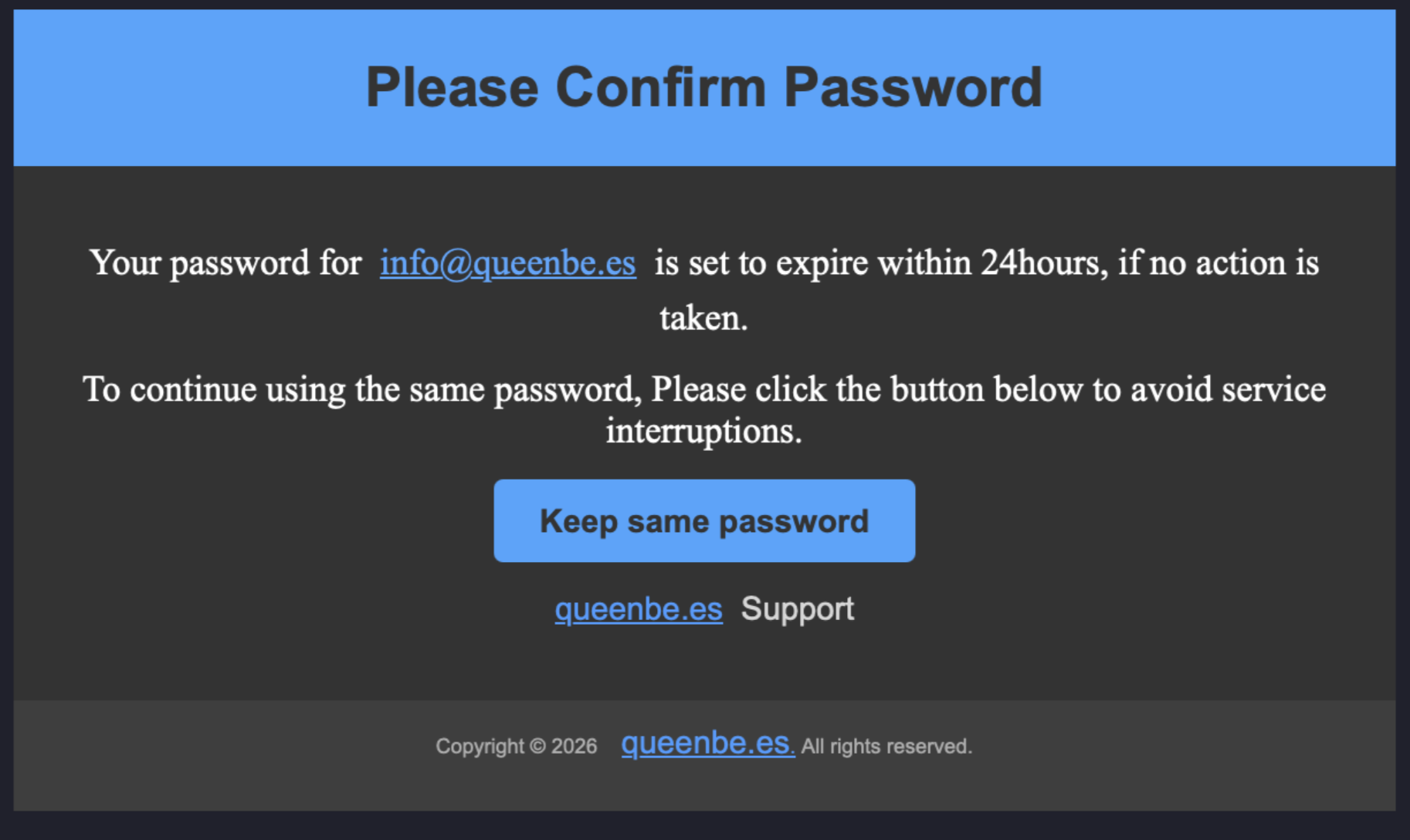
1. Check the message appearance
- Logo and colors: Official QueenBees emails contain our distinctive logo (yellow-violet, with a bee motif) and colors consistent with the app. If the message looks different or the logo is blurry/incorrect, that’s a warning sign.
- Header and footer: Real messages have a professional appearance with full contact details in the footer.
2. Verify the message source
- Sender address: Check the sender’s email address carefully. Official messages come from the @queenbe.es or @partnerpszczelarza.pl domain. If the address looks suspicious (e.g., queenbees-support@gmail.com instead of info@queenbe.es), delete the message.
- Links: Never click links from suspicious emails. Instead, go directly to queenbe.es and log in there.
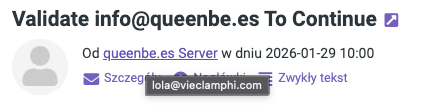
3. Look for language and grammatical errors
- Language: Scammers often make spelling, grammatical errors, or use unnatural language. Our messages are always written in correct Polish by our employees.
- Content: If the message contains threats (e.g., “Your account will be blocked if you don’t change your password immediately”) or creates time pressure, it’s a classic phishing trick indicating an attempt at fraud.
What to do if uou suspect phishing?
- Don’t click links: Even if the message looks credible.
- Delete the message: Move it to spam or delete it.
- Check your account: Log in directly to queenbe.es and check security settings.
- Report to us: If you have doubts, contact us through official channels (info@queenbe.es).
How to protect your account?
At QueenBees, we care about your account security, so our login system is based on secure and proven technologies. Here are some additional tips on how to protect your data:
- Use strong passwords: Combination of letters, numbers, and special characters.
- Change your password regularly: But only through the official website.
The security of your data is a priority for us. If you have any questions about account security, contact our support team.