Efficiency settings
In this tutorial you will:
- Learn about default efficiencies
- Change the default efficiency
Packages
The feature is available in subscription: Standard, Professional, Enterprise
Before you start
To add a logo, you must have:
- Administrator rights
- An active Start, Standard, Professional or Enterprise subscription
Efficiency in QueenBees application
Efficiency settings are used as a base value for prognosis in our application. Unless there is not enough historical data to use, default values are used from efficiency settings.
- Go to the logo settings: Left menu > Settings > General.
- Select the Logo section
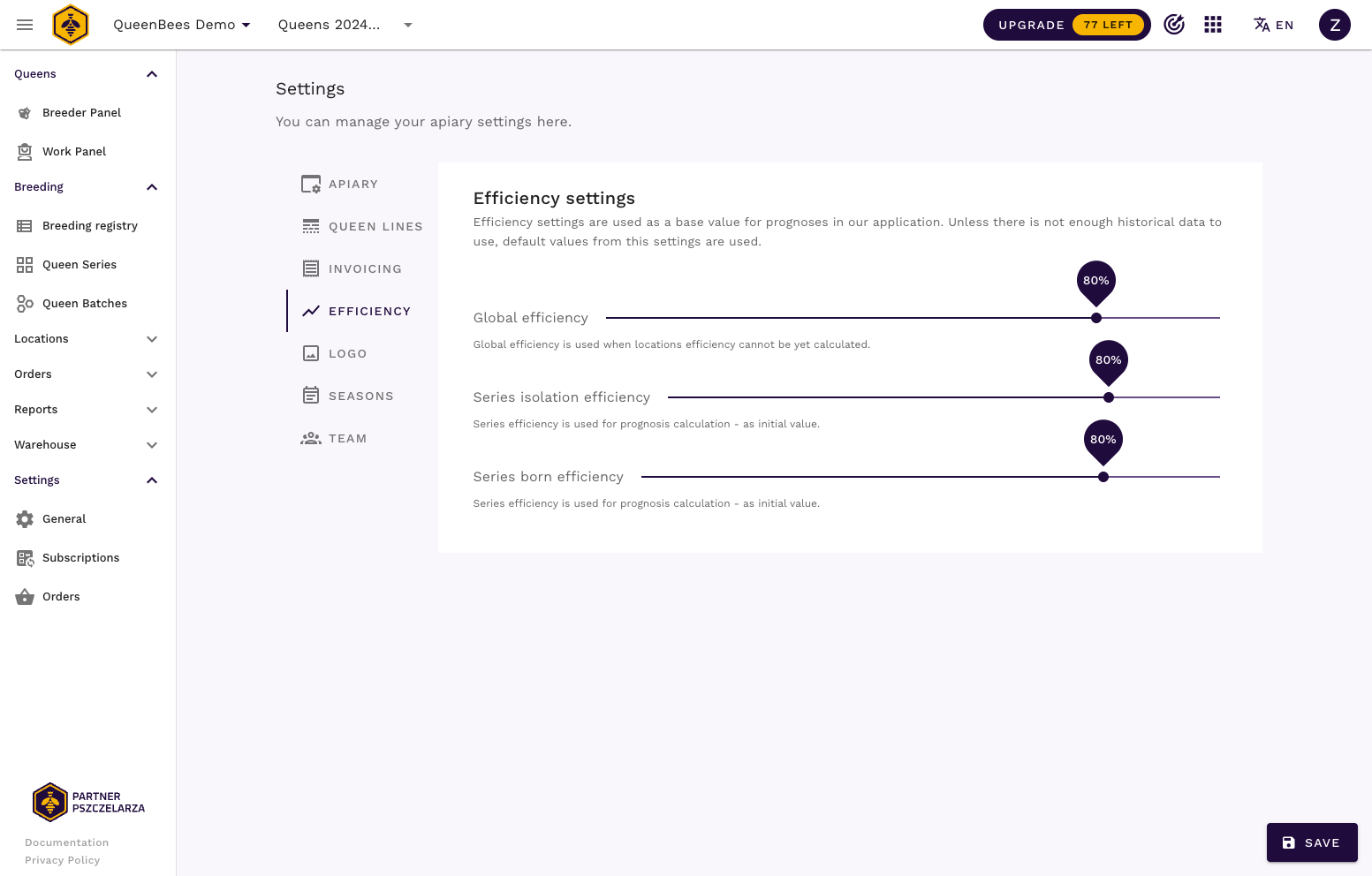
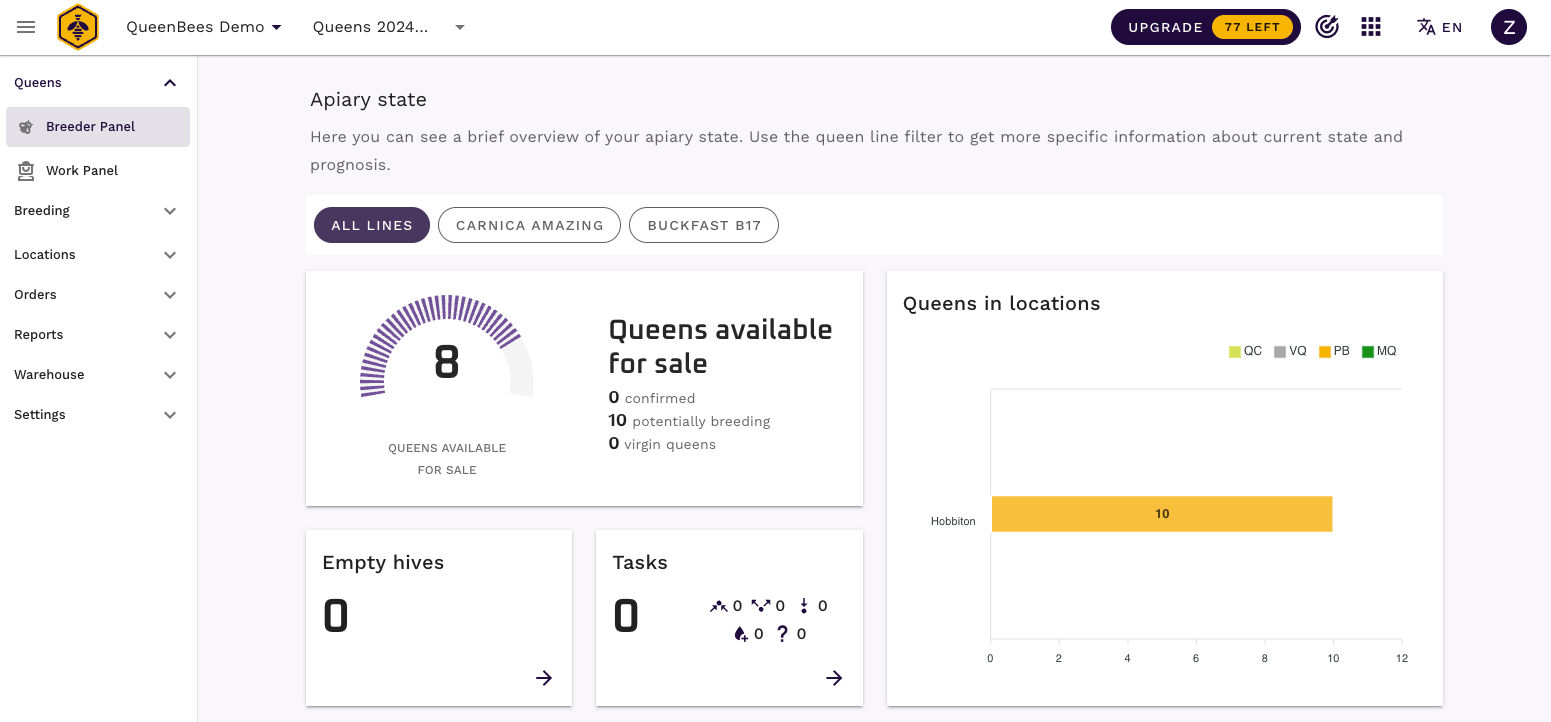
By default 80% is set. It means that in case of 10 hives with 10 queens, when there is none confirmed queen, we will show 8 queens as available for sale (80% from 10).
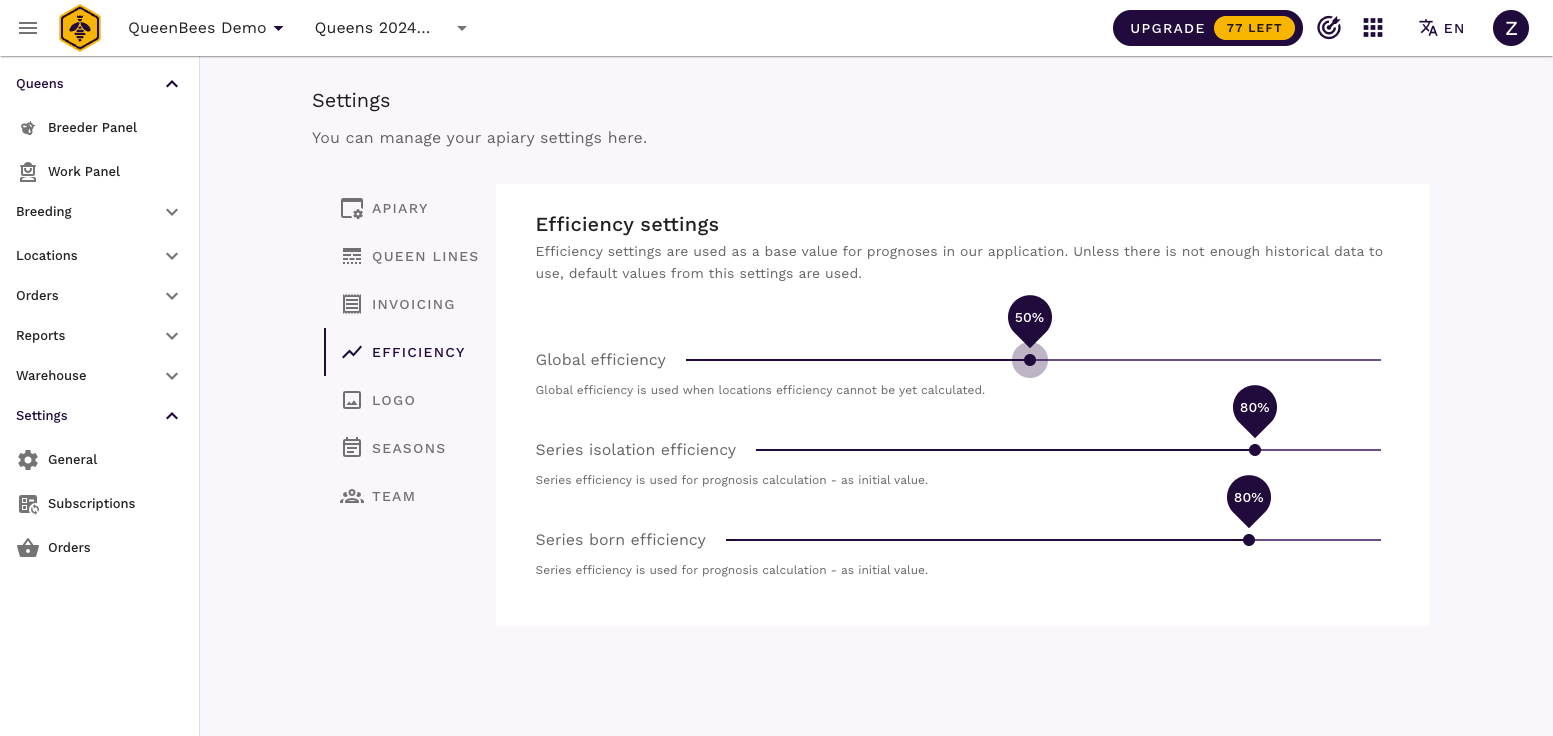
Changing default efficiency
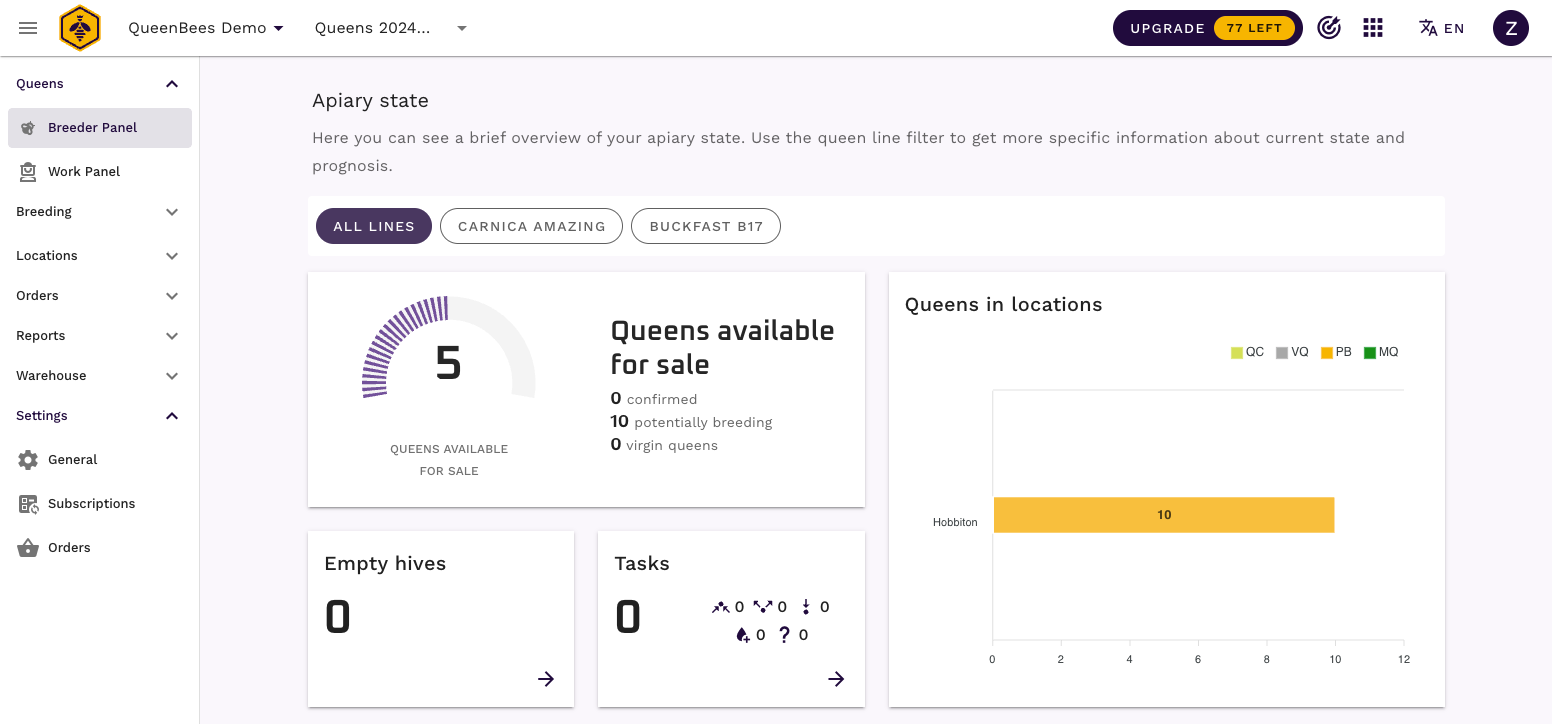
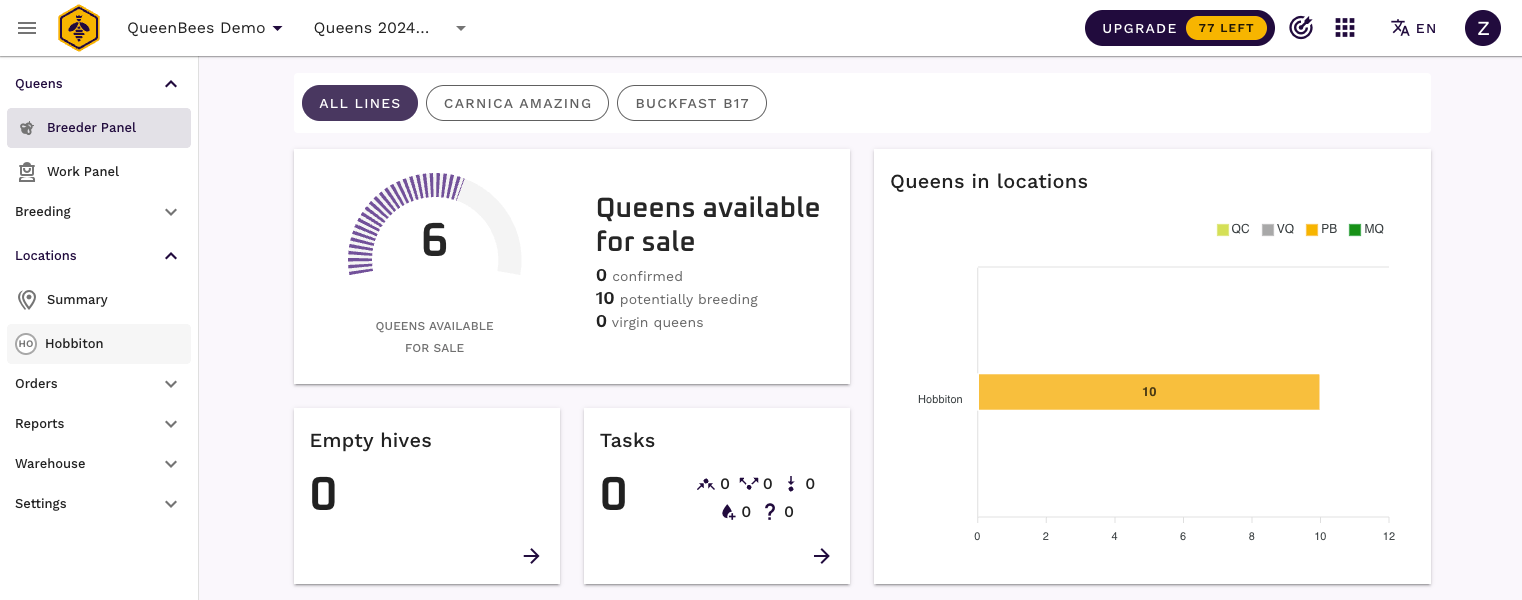
Now if your expected efficiency is lower, you can change it to your needs. For example 50% efficiency setting will result in 5 queens being visible as ready for sell.
Let’s take a look on Breeder Panel. You might notice that queens available for sale dropped to 5 from 8 based on new setting.
Default efficiency vs historical efficiencies
Global, default efficiency is used when locations efficiency cannot be yet calculated. For example, the location performance will be visible and used for calculations of efficiency if the number of queens sold,
lost and confirmed by inspections exceed 50% of overall number of hives in the location.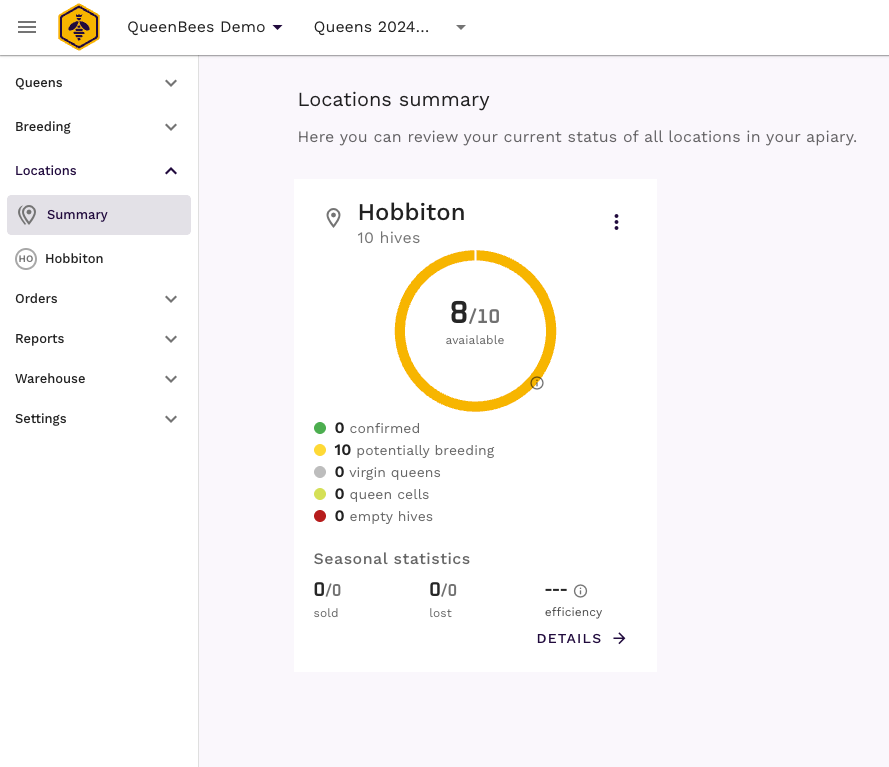
The number of queens ready for sale is also calculated from global efficiency setting. At the moment where queens lost / sold will exceed 50% of hives in location, the location efficiency will be calculated and used for future prognosis.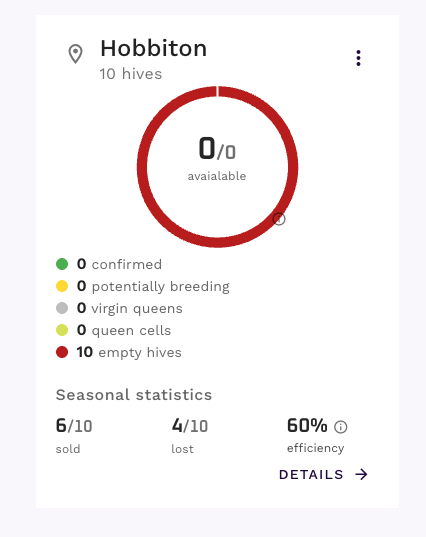
You might see that in example above, where:
- there are 10 hives in location
- 6 queens were marked as
sold - 4 queens were marked as
lost
Location efficiency was calculated to 60%. Now as your season will progress, we will have more data available to calculate more precise efficiency. But even for that example, 10 more queens added to location with dynamic efficiency will show 6 from 10 as available for sale.
Queens marked as confirmed
Let’s see an example where queens were marked as confirmed as described in Natural Queen Bee Breeding, where we have:
- current location efficiency: 60%
- 10 queens in hives, from which:
- 6 are marked as confirmed (we checked the hives, queens are there, queen are breeding)
- 4 are still potentially breeding (we didn’t have a chance to check the hives)

The amount of queens available for sale is set to 9, because:
- 6 queens are marked as confirmed and they are treated with 100% confidence
- 4 queens are still potentially breeding, without inspection. They are treated with 60% location efficiency, which gives 2.4 as a result, but we’re taking always higher number, so it will be rounded to 3.
- overall 9 queens are available for sale
To learn more about queen statuses and how they are used in efficiency calculation, read more in Natural Queen Bee Breeding.