When can I get my queen? - A practical guide for shipment planning
“When can I get my queen?” - it’s the most common question you hear from customers, and answering it quickly and accurately is key to securing an order and building trust. In the peak of the breeding season, juggling phone calls while trying to check paper notes or spreadsheets can lead to mistakes, over-scheduling, and frustrated customers.
QueenBees transforms this stressful interaction into a smooth, professional experience. This guide will show you how to use the Shipping Calendar to give your customers a confident answer in seconds.
What you’ll learn
- How to use the interactive calendar during a customer call.
- How to check product availability and your daily capacity at a glance.
- How to schedule a delivery date directly from the order screen.
- How to use the main calendar for a broader overview of your season.
The scenario: a customer calls
A customer calls and wants to order 20 naturally mated queens. After confirming their details, they ask the crucial question: “When is the earliest I can receive them?”
Instead of putting them on hold, you can answer them immediately using the tools built directly into the order management screen.
Step 1: Open the order
Whether you are creating a new order for a new customer or viewing an existing customer’s profile, the process starts from the order screen. If you need a refresher, check our basic order scenario guide.
Once you have the customer and their desired products added to the order, scroll down to the Shipments section.
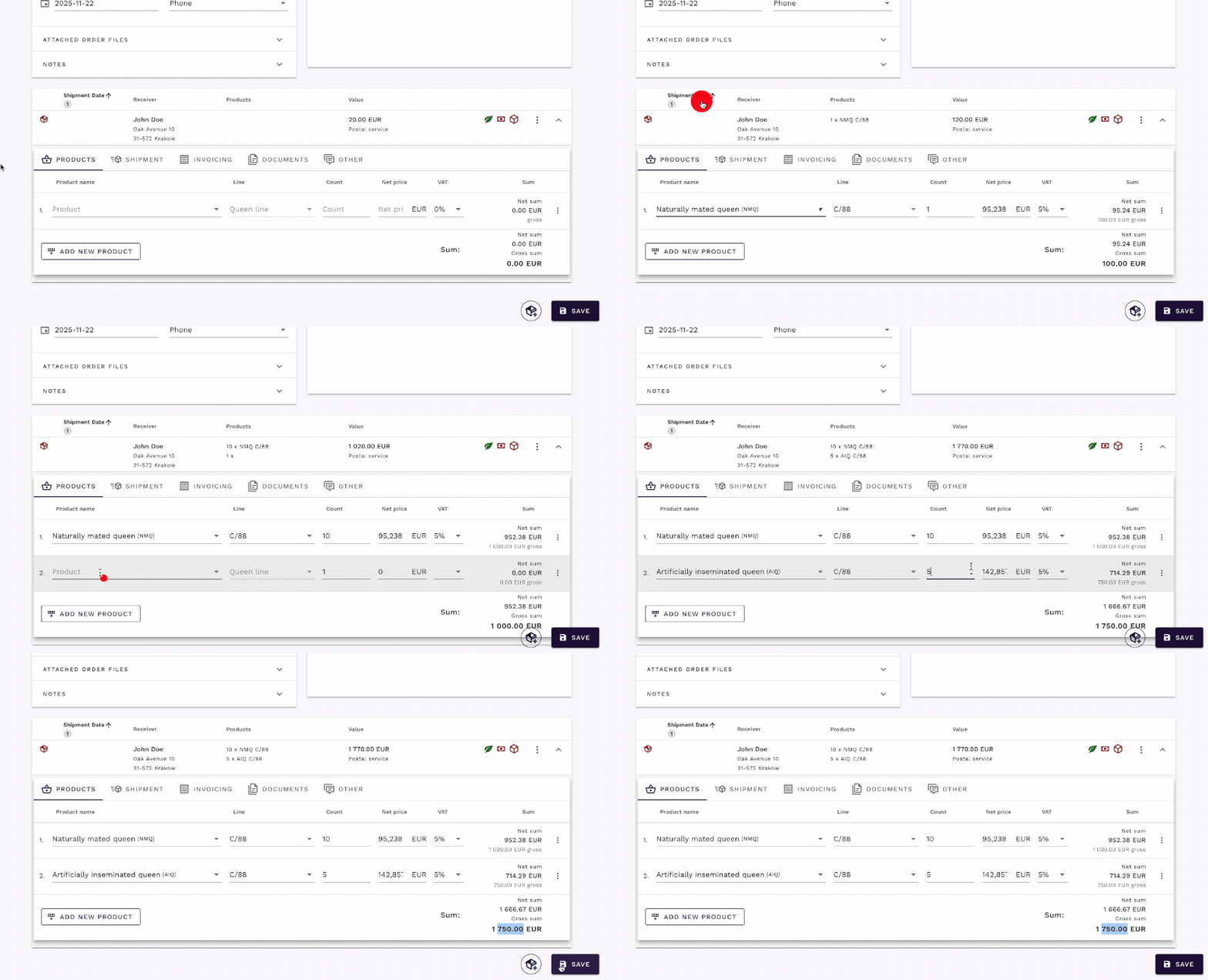
Step 2: Open the delivery calendar
The next step is to set the delivery date.
- In the shipment details, click on the delivery date field.
- An interactive Delivery Calendar will open.
This calendar is your single source of truth for delivery planning. It’s designed to give you all the information you need without leaving the order screen.
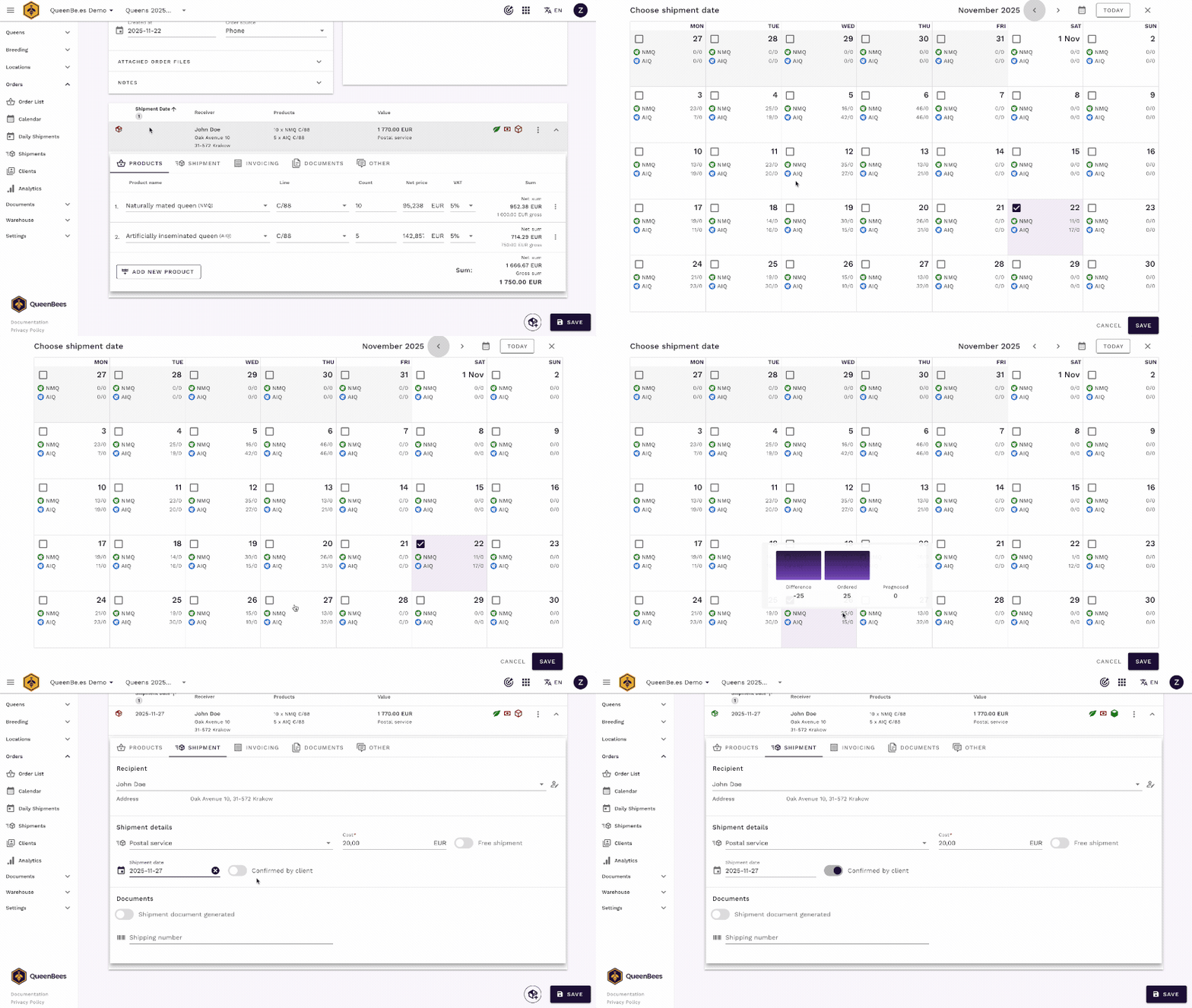
Step 3: Read the calendar and give an answer
The Delivery Calendar instantly shows you your commitments for each day, allowing you to see available slots.
What the calendar tells you:
- Accumulated orders: see the total number of queens and other products already scheduled for delivery each day.
- Capacity visualization: the color-coded bars give you a quick visual cue of how busy a particular day is. You can set your daily or weekly capacity, and the system will show you how close you are to reaching your limit.
- Non-working days: days you’ve marked as off-limits for shipping (like weekends or holidays) are clearly indicated, preventing you from scheduling deliveries by mistake. You can configure this in the Seasons settings.
With this information, you can confidently tell the customer: “I have availability next week. I can ship your 20 queens on Tuesday, May 14th. Would that work for you?”
Alternative: The main shipping calendar
Sometimes you might want a broader view of your entire month or season without being inside a specific order. The main Shipping Calendar is perfect for this.
You can access it from the main menu: Orders > Calendar.
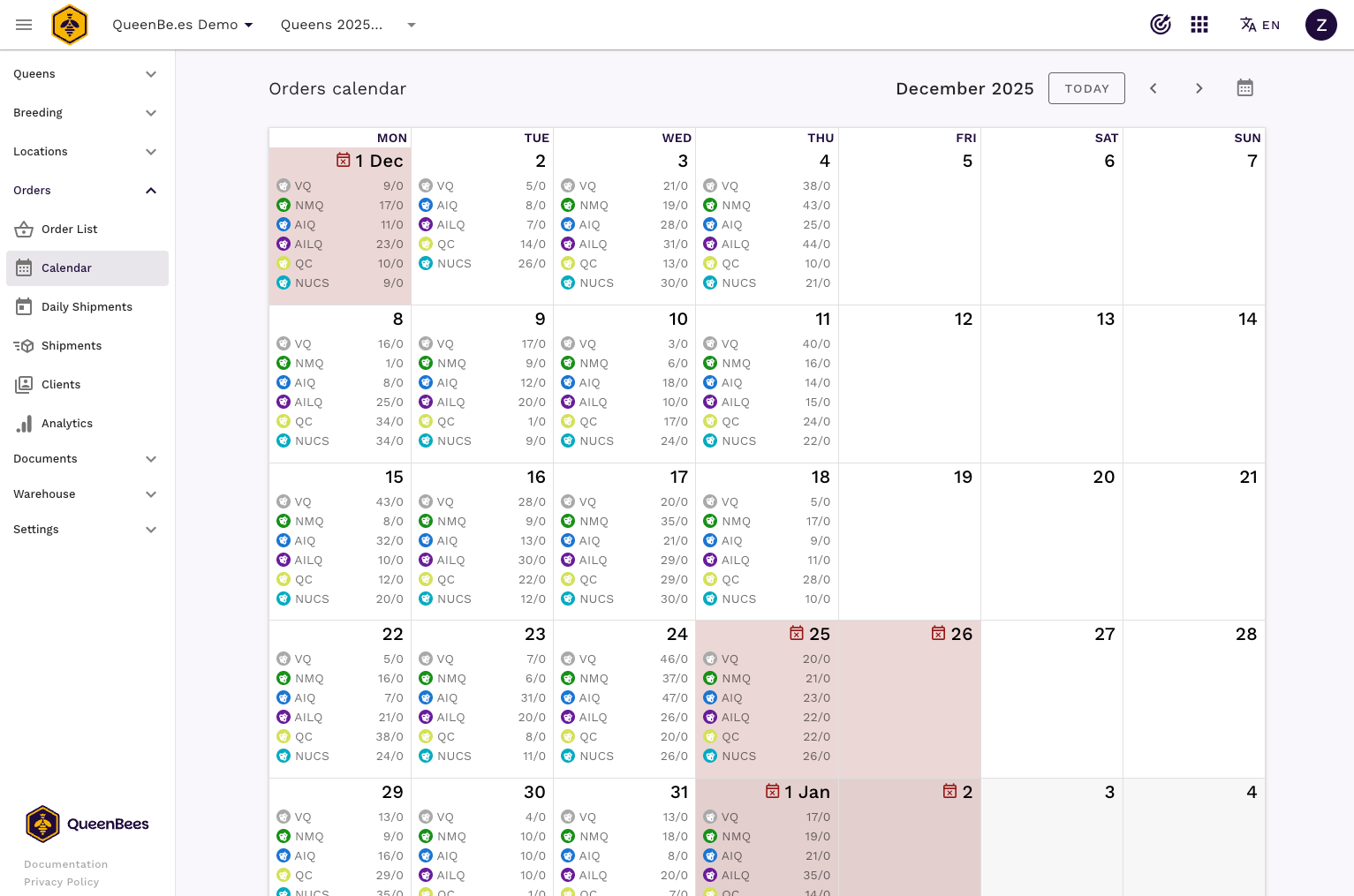
This view is excellent for:
- Weekly or monthly planning: Get a high-level overview of your upcoming shipment schedule.
- Identifying bottlenecks: Quickly spot days or weeks that are over-scheduled and plan accordingly.
- General inquiries: If a customer calls for a general inquiry about availability without placing an order, this view gives you a quick answer.
You can even create a new order for a specific day directly from this calendar by clicking on a date.
Conclusion
Answering “When can I get my queen?” is no longer a guess. With the QueenBees shipping calendar, you have a powerful visual tool that empowers you to:
- Answer customers instantly and professionally.
- Avoid over-scheduling and production bottlenecks.
- Plan your breeding and shipping season with confidence.
- Improve customer satisfaction with reliable delivery dates.
By integrating this tool into your daily workflow, you’ll spend less time on administrative tasks and more time doing what you do best: breeding high-quality queen bees.