Account Registration
Creating your QueenBees account is the first step toward modernizing your beekeeping operation. This guide walks you through the simple registration process that gives you access to professional-grade tools designed specifically for queen bee breeders and apiary managers.
Why Create a QueenBees Account?
Your QueenBees account provides access to:
- Complete apiary management - Track hives, queens, and breeding records
- Order processing system - Manage customer orders and deliveries efficiently
- Mobile field tools - Use Focus Mode for fast field operations
- Team collaboration - Share access with family members and employees
- Cloud synchronization - Access your data from any device, anywhere
Tip
QueenBees is part of the Beekeepers Partner ecosystem, so one account gives you access to multiple professional beekeeping applications.
Before You Start
Make sure you have:
- A valid email address that you check regularly
- Strong password preferences - we recommend using a password manager
- Access to your email - you’ll need to verify your account immediately
Creating Your Account
Step 1: Visit the Registration Page
Navigate to the QueenBees registration page:
https://account.queenbe.es/register?change_language=en
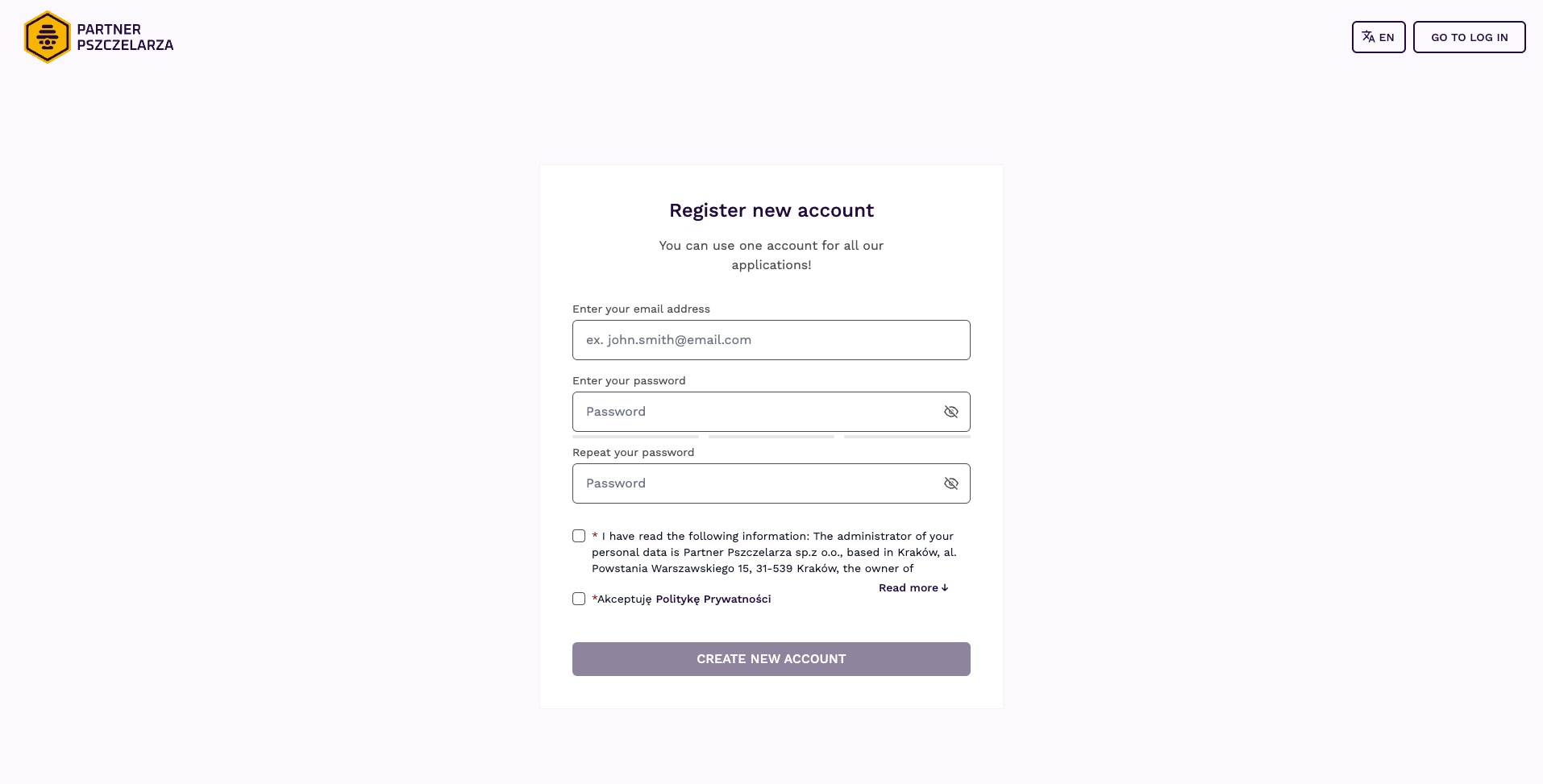
Step 2: Set Your Language
Ensure English is selected in the top-right corner if that’s your preferred language. The interface is available in multiple languages to serve beekeepers worldwide.
Step 3: Complete the Registration Form
Fill out the registration form with accurate information:
Email Address:
- Use an email you check regularly
- This will be your username for logging in
- You’ll receive important notifications about your apiaries here
Password Requirements:
- Minimum 8 characters long
- Mix of uppercase and lowercase letters
- Include numbers and special characters
- Avoid common words or personal information
Confirm Password:
- Re-enter your password exactly as typed above
- This prevents typing errors that could lock you out
Step 4: Review and Accept Terms
Before creating your account:
- Read the Terms and Conditions - understand your rights and responsibilities
- Review the Privacy Policy - learn how your beekeeping data is protected
- Check the agreement box - required to proceed with registration
Step 5: Submit Your Registration
Click “Create new account” to complete the process. You’ll be redirected to the login screen with a message about email verification.
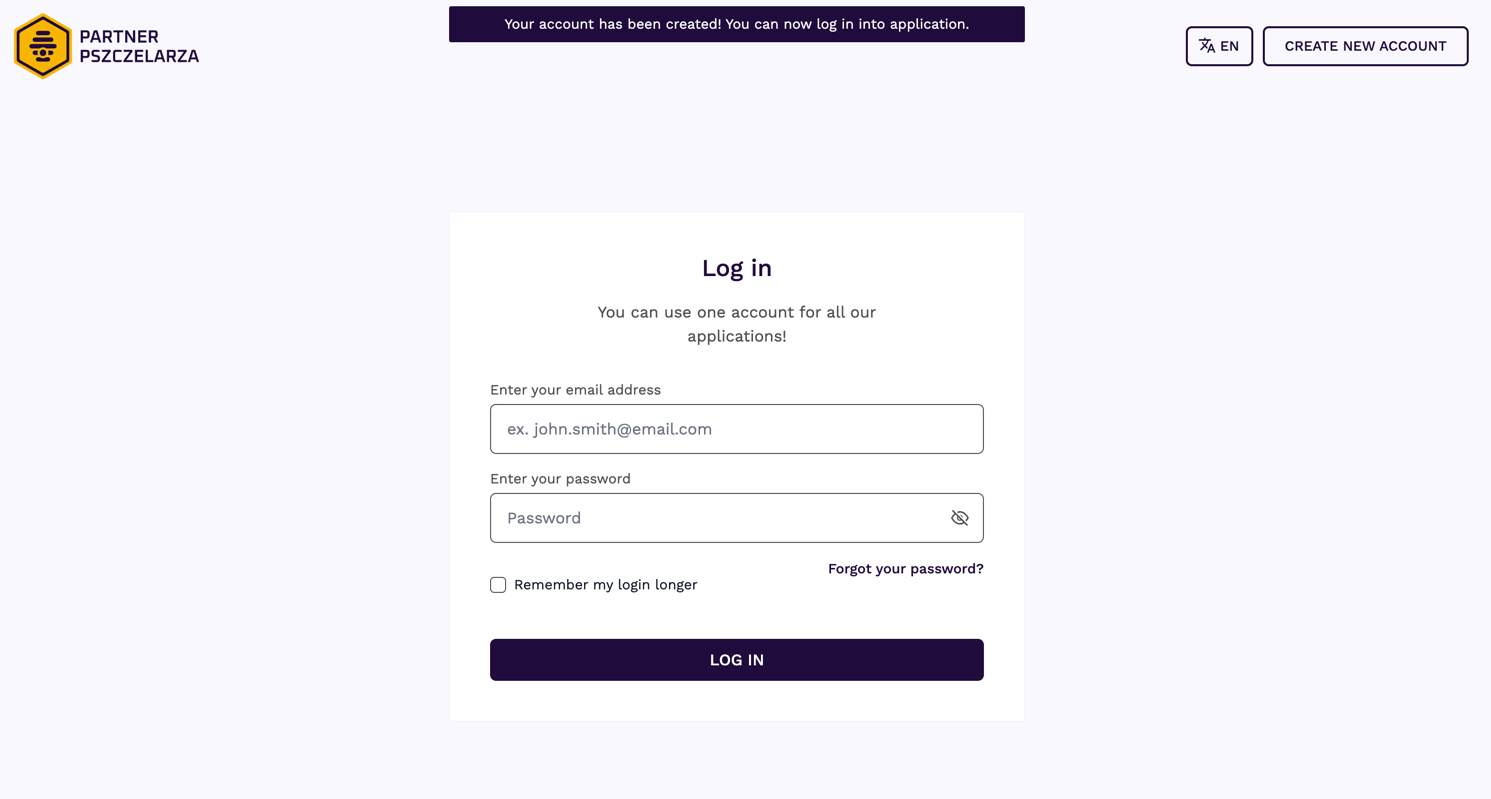
Hint
Don’t try to log in immediately - you must verify your email address first!
Email Verification Process
Check Your Inbox
Within a few minutes, you’ll receive a verification email from Partner Pszczelarza (our parent company).
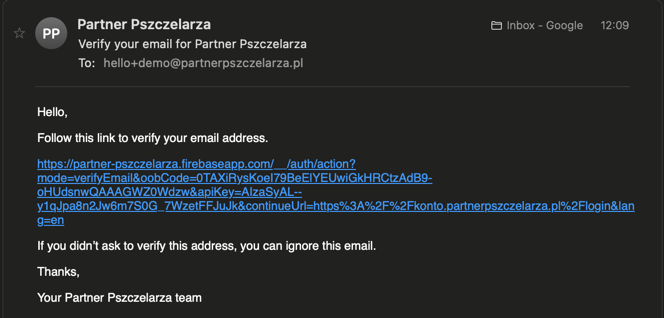
Activate Your Account
- Open the verification email
- Click the verification link - this activates your account immediately
- Confirm activation - you’ll see a success message
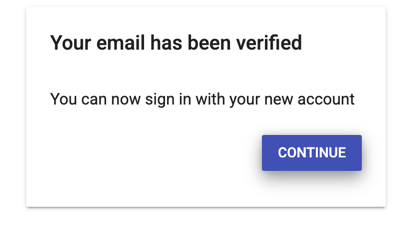
Ready to Log In
Once verified, return to the login page and enter your credentials to access QueenBees for the first time.
Troubleshooting Common Issues
Email Verification Problems
Verification email didn’t arrive:
- Check your spam/junk folder first
- Wait up to 10 minutes for delivery
- Try the “Resend verification” option on the login page

Verification link expired:
- Request a new verification email from the login page
- Complete verification within 24 hours of receiving the new email
Registration Form Issues
Error messages during registration:
- Double-check all required fields are completed
- Ensure passwords match exactly
- Verify email format is correct (must include @ and domain)
- Try refreshing the page or using a different browser
Password doesn’t meet requirements:
- Add more character variety (upper, lower, numbers, symbols)
- Increase length to at least 8 characters
- Avoid dictionary words or personal information
Account Access Problems
Can’t remember which email was used:
- Try common email addresses you use
- Check with family members if it’s a shared operation
- Contact support with your business name for assistance
Account appears to be locked:
- Wait 15 minutes before trying again
- Ensure you’re using the correct password
- Use the password reset option if needed
Security Best Practices
Protect Your Account
Use a strong, unique password:
- Don’t reuse passwords from other services
- Consider using a password manager
- Change passwords regularly (every 6-12 months)
Keep your email secure:
- Use two-factor authentication on your email account
- Don’t share login credentials with unauthorized users
- Log out from shared computers
Monitor account activity:
- Review login notifications
- Report suspicious activity immediately
- Keep contact information up to date
Next Steps After Registration
Complete Your Profile Setup
- Add your apiary information - location, size, specialties
- Set up your first locations - where your hives are located
- Configure team access - if you work with family or employees
- Import existing data - if migrating from other systems
Explore Key Features
Start with the basics:
- Add your first hives and queens
- Set up location hierarchies
- Configure notification preferences
Try advanced features:
- Create breeding series
- Set up customer orders
- Use mobile Focus Mode in the field
Get Support When Needed
Documentation resources:
- Browse our complete user guides
- Learn how to set up you apiary in 10 minutes
- Check the daily usage suggestions
Direct assistance:
- Contact our support team through the application
- Schedule one-on-one training sessions
- Access priority support for professional accounts
Tip
Take time to explore the application thoroughly - QueenBees has many features that can streamline your operation once you’re familiar with them.
Account Types and Upgrades
Free Account Features
Your new account starts with access to:
- Basic hive and queen management
- Location tracking
- Simple order processing
- Mobile access
Professional Features
Upgrade options include:
- Advanced breeding analytics
- Team collaboration tools
- Priority customer support
Privacy and Data Security
Your Data Protection
QueenBees takes your privacy seriously:
- Secure data storage - all information is securely stored
- GDPR compliance - we follow strict European privacy standards
- Limited cookies usage - we’re keeping those to minimum to not distract you from work
- No data selling - your beekeeping information is never sold to third parties
- Regular backups - your data is protected against loss
FAQ - Frequently Asked Questions
I didn’t receive verification email
Check your spam or junk folder. If it’s not there, try resending the verification email from the log-in page.
I see error messages
Ensure all required fields are filled out correctly and that your password meets the security criteria. Try opening the page in new browser tab. If that does not help, please contact us directly.