Orders analytics: insights into your business performance
Orders analytics in QueenBees provides essential business insights for queen breeding operations, helping you track overall orders performance and summarize your business statistics.
The analytics dashboard shows key metrics including product counts, order volumes, and revenue summaries, all tailored specifically for the needs of professional queen breeders.
Tip
Analytics are calculated in real-time based on your current season selection and automatically update as you process orders throughout the breeding season. You can switch between seasons to compare performance year-over-year or select general season to see overall summary.
Understanding orders analytics
Orders analytics in QueenBees gives you a comprehensive view of your business performance through various metrics and visualizations designed specifically for queen breeding operations.
What analytics are available
- Product performance metrics: Track which queen types and products are most popular
- Order volume analysis: Monitor total order counts and completion rates
- Shipment counts & revenue insights: Analyze total sales values and average order values based on shipment completion
- Paid orders: Compare paid orders to overall order volume
Analytics overview dashboard
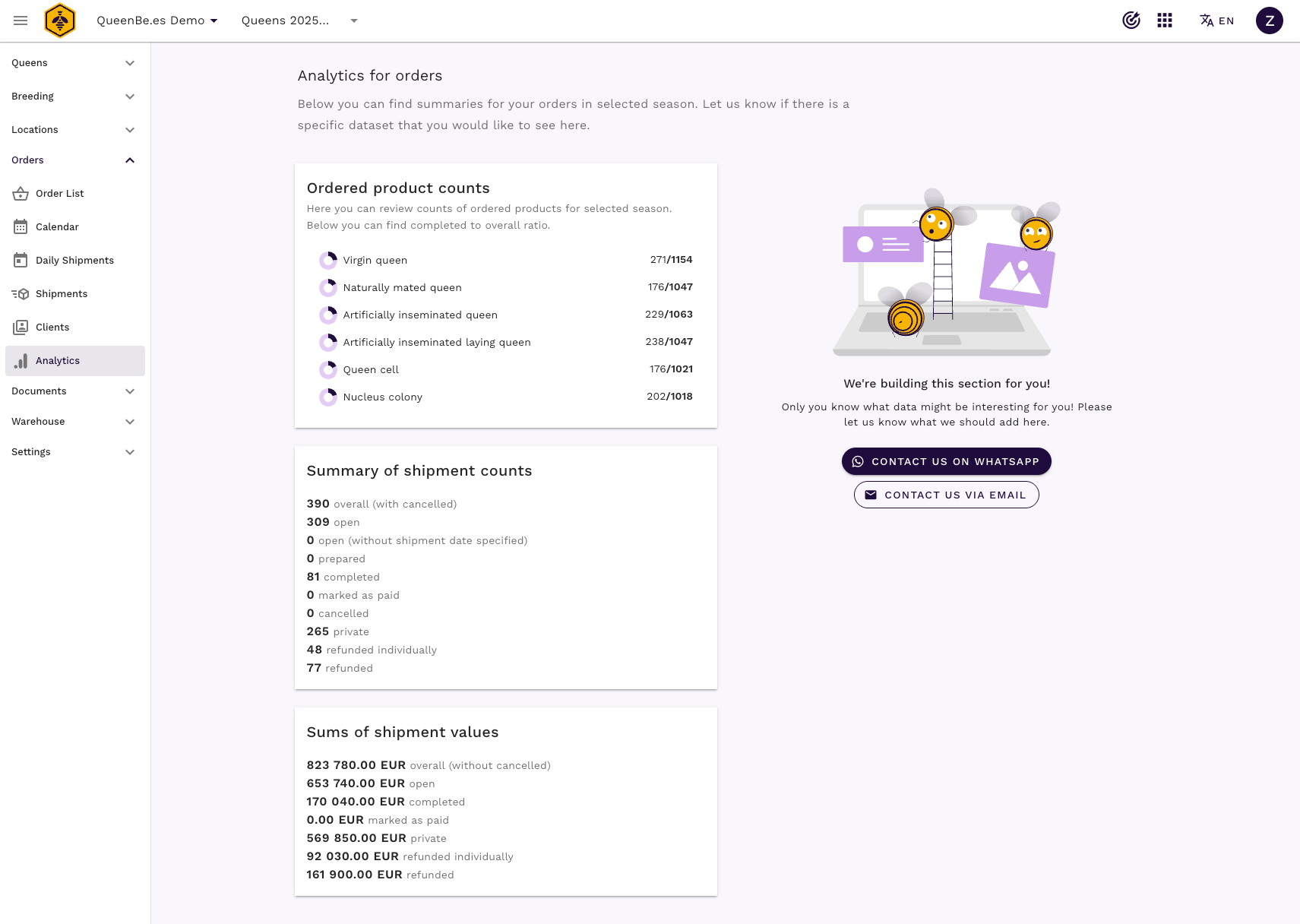
The main analytics page provides an at-a-glance summary of your most important business metrics, organized into easy-to-understand cards and charts.
Key performance indicators
Product counts analytics
- Total products sold across all orders
- Breakdown by product types (queen varieties, packages, etc.)
- Most popular products by volume
- Product completion rates
Shipment counts metrics
- Total number of orders processed
- Orders by status (completed, pending, cancelled)
- Orders by refund type
Shipment revenue summaries
- Total sales revenue for selected season
- Split by order type
- Payment status tracking
Accessing analytics data
Prerequisites
Analytics access requires:
- Active QueenBees account with analytics permissions
- Owner or Admin role
- Completed orders in your selected season
- Appropriate subscription plan (analytics may be limited on free plans)
Note
Analytics are currently available for paid plan subscribers. Contact our team if you need analytics access on other plans.
Navigating to analytics
- Navigate to Orders section from main menu
- Click Analytics in the orders submenu
- Select your season - analytics will update automatically
Work in progress features
Info
Feature requests welcome: The analytics module is actively being developed. Contact our team with specific reporting needs or suggestions for new analytics features.
Support and feature requests
Need assistance?
- Contact support team for analytics questions
- Visit Contact page for feature requests
- WhatsApp support for quick questions about interpreting data
Remember: analytics are most valuable when viewed over time and in context. Regular review of your metrics helps identify both opportunities and issues before they significantly impact your business.