Queen management: complete guide to queen breeding and lifecycle tracking
Managing queens is one of the most important aspects of breeding apiary, especially for professional queen breeders. In our QueenBees application, we provide a comprehensive set of tools to help you effectively manage your queens throughout their lifecycle.
From egg to shipment, QueenBees allows you to track and document every stage of a queen’s development. You can easily record information about each queen, including her lineage, breeding history, and current status.
Queens in our application
QueenBees tracks queens through their complete lifecycle using standardized status codes that are recognized throughout the beekeeping industry. Understanding these states helps you monitor queen development and make informed breeding decisions.
Queen states in QueenBees
We’re supporting multiple insemination stages of queens in our application. Each state is associated with queen age and specific color for easy identification
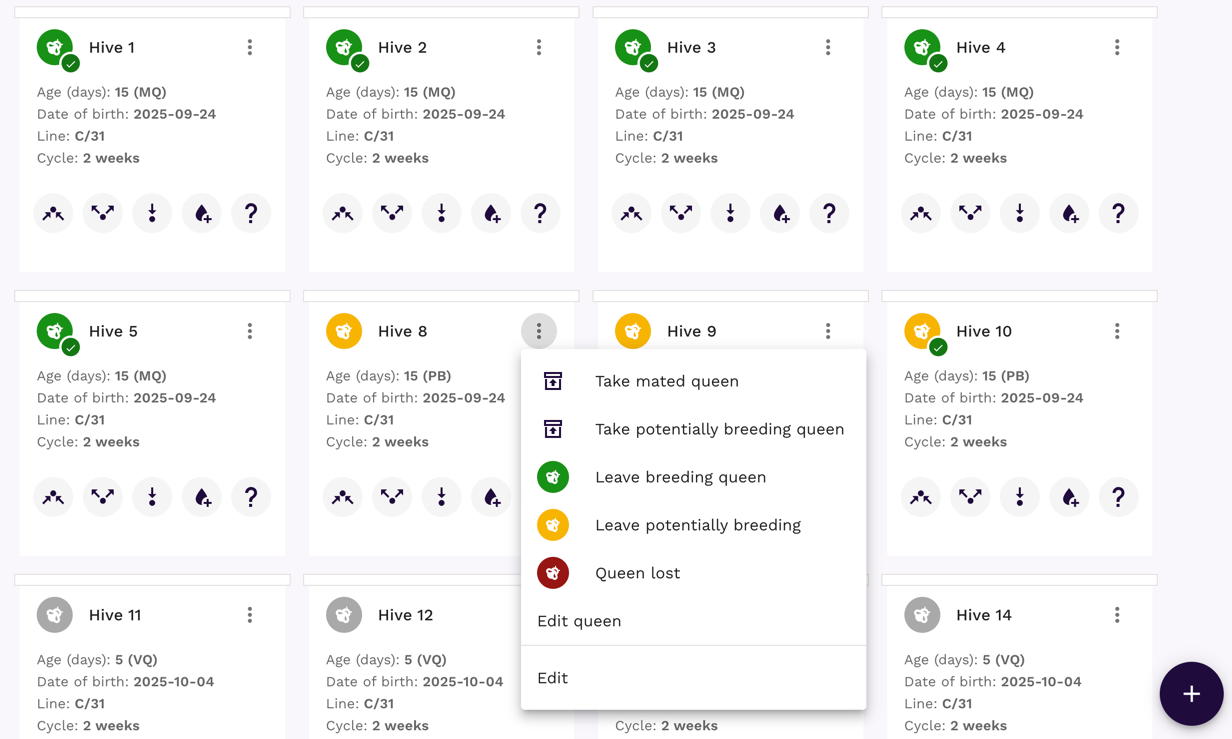
- Queen Cell (QC): Foundation stage for all breeding programs. Color: lime
- Virgin Queen (VQ): Newly emerged, unmated queen, ready for mating flight or instrumental insemination. Color: grey
- Potentially Breeding (PB): Breeding activity suspected but unverified. Color: yellow. This status is set automatically after queen will be in age of potentially breeding.
- Mated Queen (MQ): Successfully mated, confirmed fertile. Color: green
- Artificially Inseminated (AIQ): Controlled breeding with selected drone genetics.
Queen insemination colors can be easily seen in each location:
Status transitions
Queens status follows natural queen insemination path or artificial insemination path. Some statuses are triggered by specific events done by queen breeder during hive inspection.
Adding queens manually
The quickest way to get started with QueenBees (but not the most productive) is to add queens manually, one at a time. This approach is perfect when you’re beginning to use the system or when adding individual queens that don’t belong to a larger batch or series.
Hint
More productive ways to add queens include using Queen Batches that allows you to add queen with one click.
Step-by-step manual queen addition
Navigate to your location
- From the left navigation menu, go to Locations
- Select the location where you want to add a queen
- Find the specific empty hive that needs a queen
Start adding a new queen
- Locate empty hives - each shows an ‘Add new queen’ button
- Click ‘Add new queen’ to open the queen registration modal
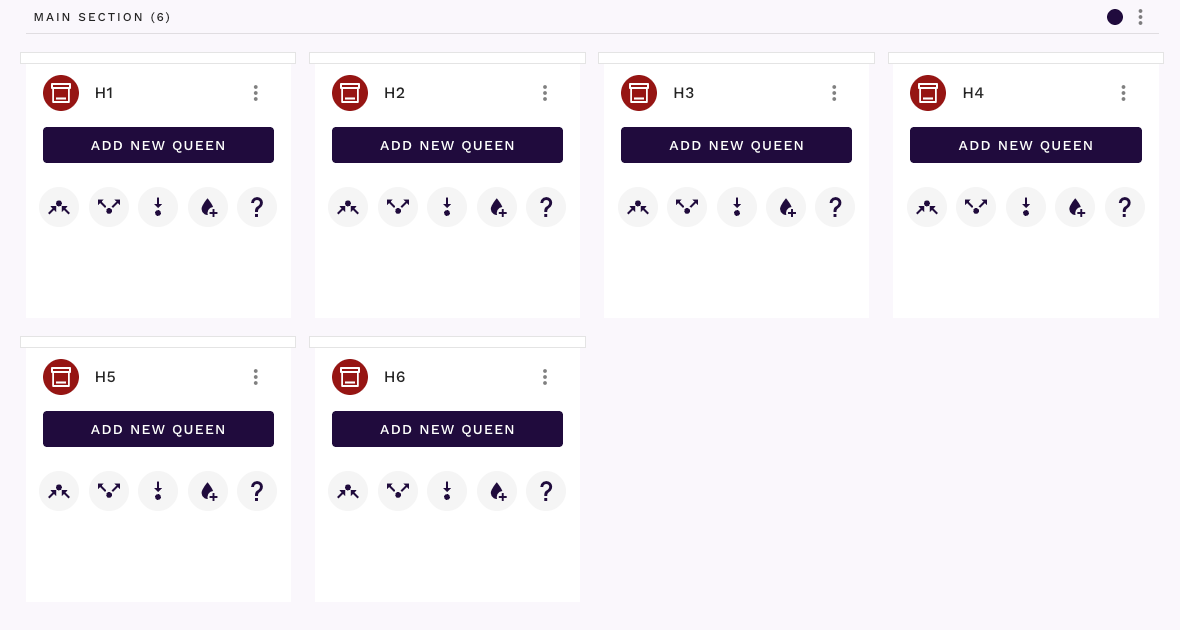
Complete essential information Click ‘Add new queen’ to open the queen registration modal:
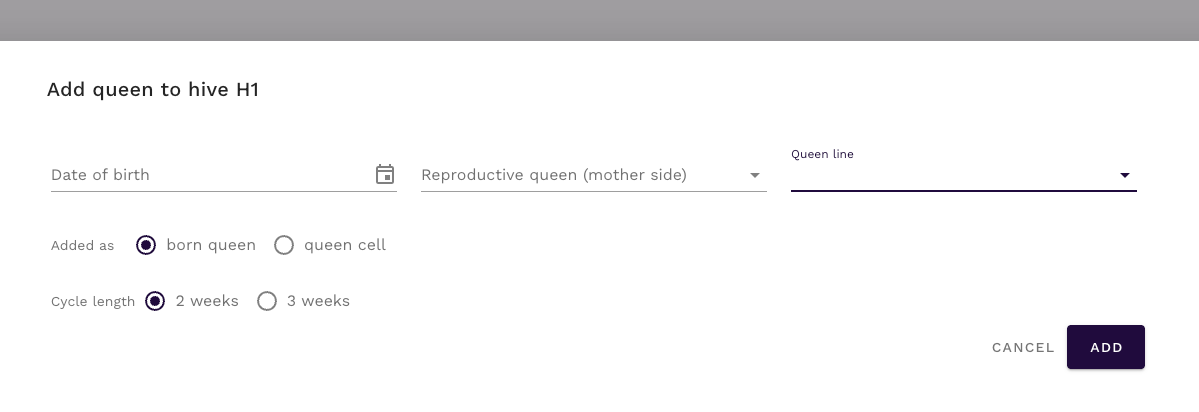
Date of birth: Enter the actual or estimated birth date - it can be in the future
Queen line: Select from the lines you defined during setup
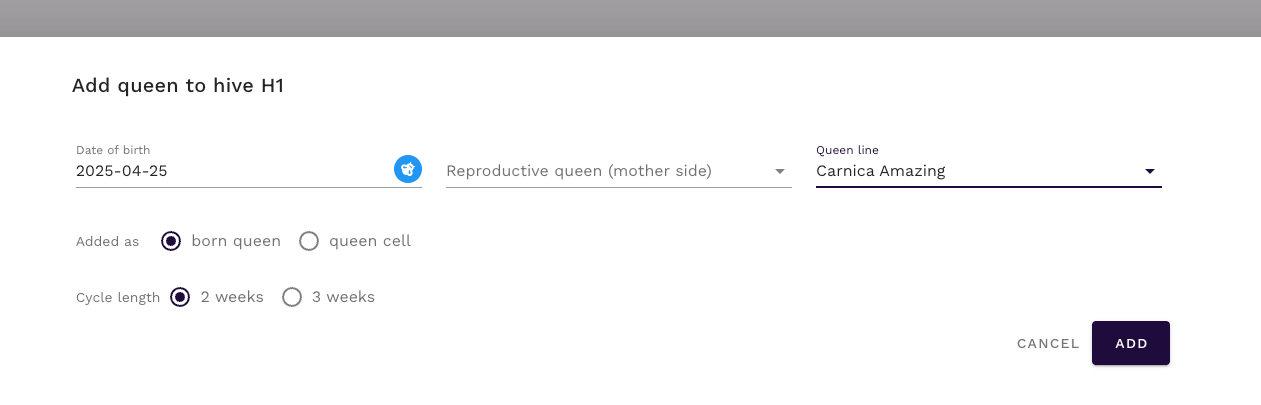
Notice how the system automatically assigns the correct year marking color (blue for 2025) based on the birth date.
- Additional Details (Optional)
- Reproductive Queen: Select the queen on mother side from your existing, reproductive queens in breeding registry (if available)
- Added as: choose if queen cell or born queen
- Cycle length: 2 or 3 weeks. This helps track expected date that queen can be used for ready for selling forecasting.
Some breeders leave queens for 3 weeks in the hive to ensure that hive family is strong enough for next queens.
Save the Queen
- Click ‘Add’ to save the queen record
- The queen will appear in your hive with full tracking capabilities
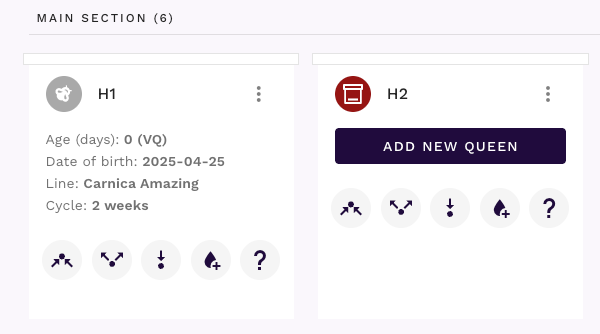
Continue adding queens to build your complete inventory:
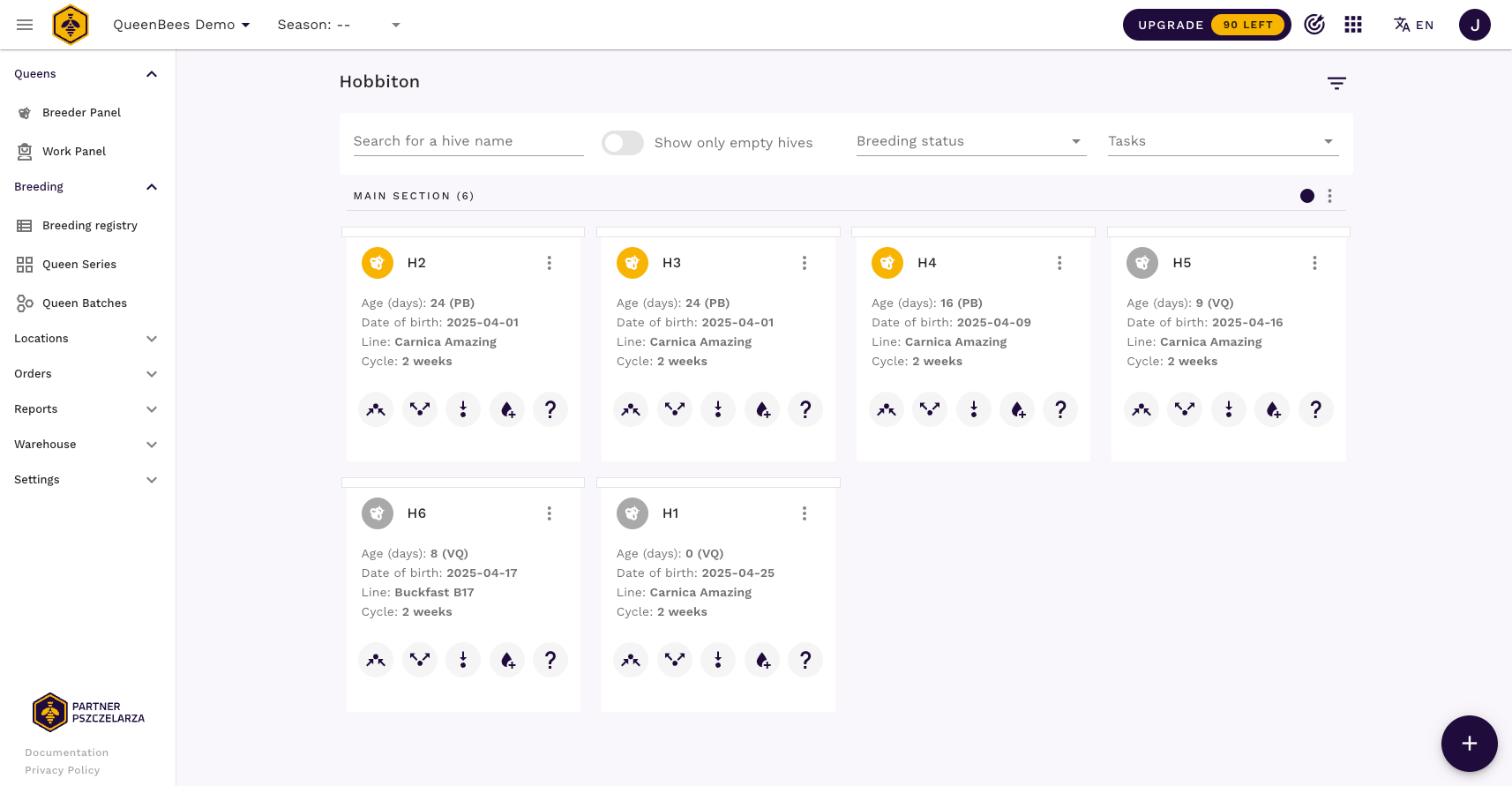
Adding queens by batches
For professional breeders, adding queens individually becomes inefficient. Queen Batches allow you to create groups of queens with identical characteristics and quickly distribute them across multiple locations and hives with a single click!
Queen Batches streamline the transition from individual queen management to professional, large-scale breeding operations.
Tip
Learn more about creating and managing Queen Batches in our comprehensive Queen Batches documentation.
Planning with queen series
Queen Series represent the most advanced level of breeding planning in QueenBees. They serve as predecessors to Queen Batches, allowing you to plan systematic breeding programs from initial egg through queen cell or born queen that is ready to be sold or put in your hive.
Queen Series transform breeding from reactive management to proactive strategic planning, enabling professional breeders to optimize their entire operation at the early stages.
Thanks to analytics provided for each series, you can evaluate the efficiency of each step in your breeding process and make data-driven improvements.
Tip
Learn more about our systematic breeding planning with our detailed Queen Series documentation.