Queen Series: comprehensive breeding cycle planning and management
Queen Series in QueenBees are the foundation of systematic approach to queen breeding - a comprehensive planning and management system that guides you through early stages of queen development.
Designed for professional breeders who need precise timing, out-of-the-box outcomes, and predictable approach to queen production, Series transform breeding from guesswork into a data-driven, optimized process.
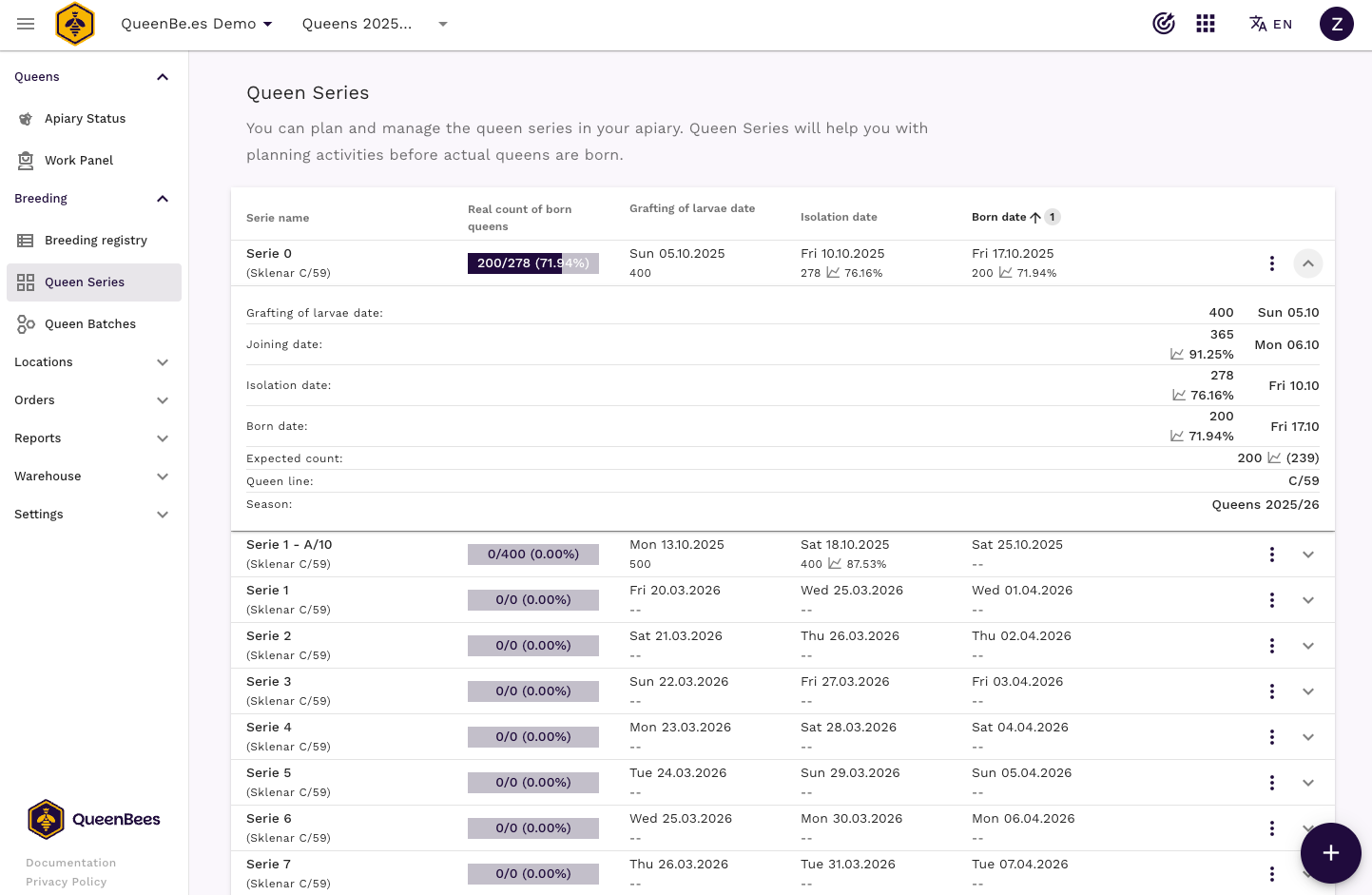
Unlike individual queen management, Series focus on the entire breeding cycle - from larval grafting through cell isolation to emergence timing - allowing you to plan your season weeks or months ahead.
Tip
Queen Series are essential for professional operations that need to predict queen availability for orders, coordinate multiple breeding cycles simultaneously, and maintain consistent production schedules throughout the breeding season.
Understanding Queen Series
A Queen Series represents a complete breeding cycle for a group of queens that will emerge on the expected target date. Each series tracks the entire development timeline from initial larval grafting to final queen emergence.
Key components of a Series
- Target emergence date: When queens will be ready for use: sell or put them into hive for natural mating
- Breeding timeline: Automatically calculated dates for each development stage
- Expected quantity: Planned number of queens to produce, reflect them in orders calendar
- Development tracking: Record actual quantities at each stage, from grafted larvae to emerged queens
- Efficiency metrics: Track success rates and optimize future cycles within the season
Series vs Batches: understanding the difference
While both features manage multiple queens, they serve different purposes:
Queen Series:
- Focus on the breeding process (egg → queen cell/born queen)
- Plan development timelines and coordinate breeding activities
- Track breeding efficiency and predict production outcomes
- Might be a source for batches (queen cells or born queens)
- Focus on distribution and placement (queen cell → hive)
- Manage queens ready for placement in locations
- Handle logistics of queen allocation across apiary locations
- Track post-emergence queen management
Series feed into Batches - once queens emerge from a Series, they can be organized into Batches for distribution.
Creating your first Queen Series
Prerequisites
Before creating your first Queen Serie, ensure you have:
- Active QueenBees account
- (optional) At least one breeding season configured
- Basic understanding of biological queen development timeline
- Optional: Reproductive queens registered in breeding registry for automatic genetic tracking
Step-by-step series creation
Navigate to Queen Series
- Go to Breeding > Queen Series from the left menu
- If this is your first series, you’ll see an empty overview with action button on the bottom right corner
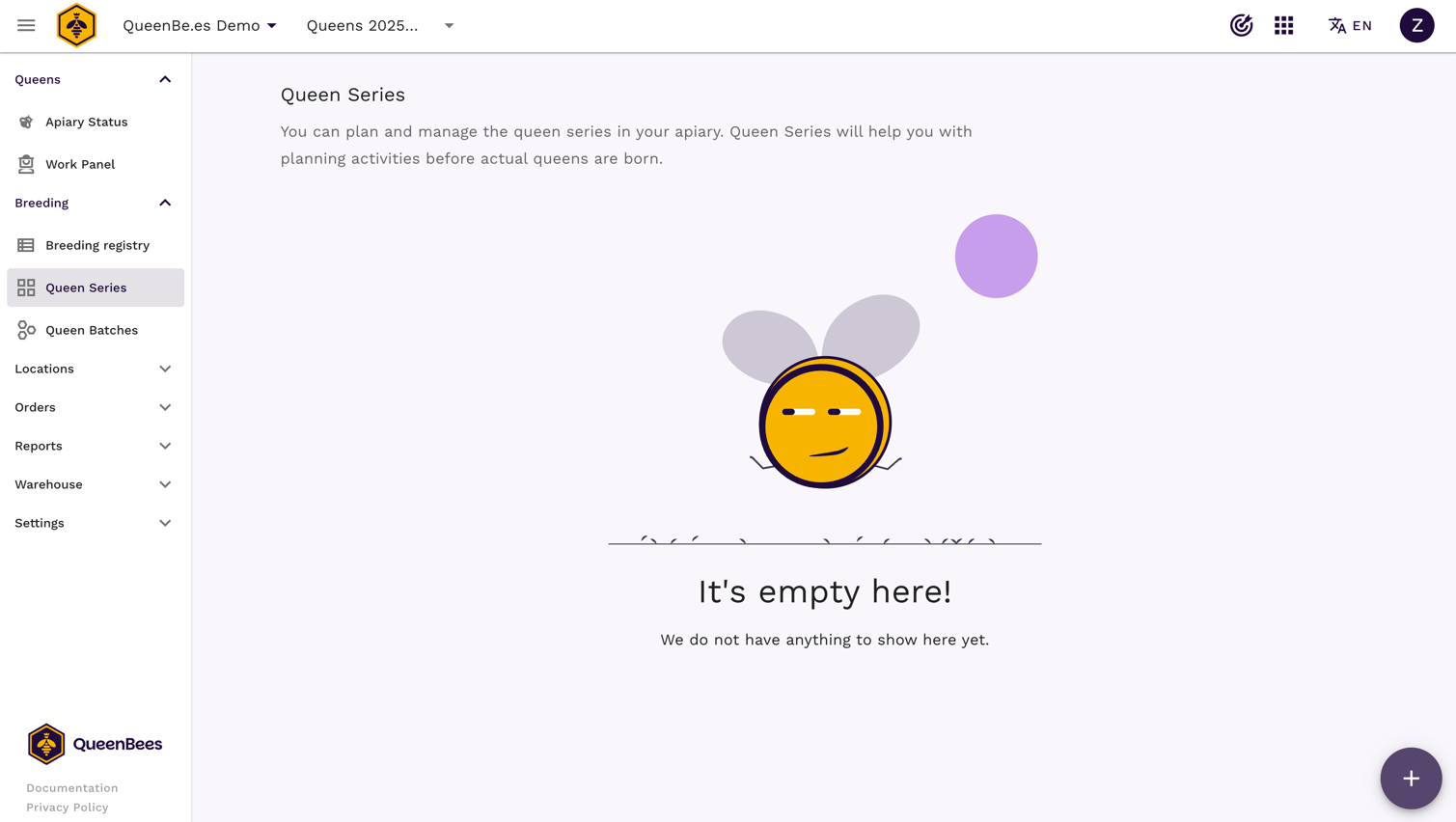
In the action menu, choose Add new serie button
- The series creation dialog will open
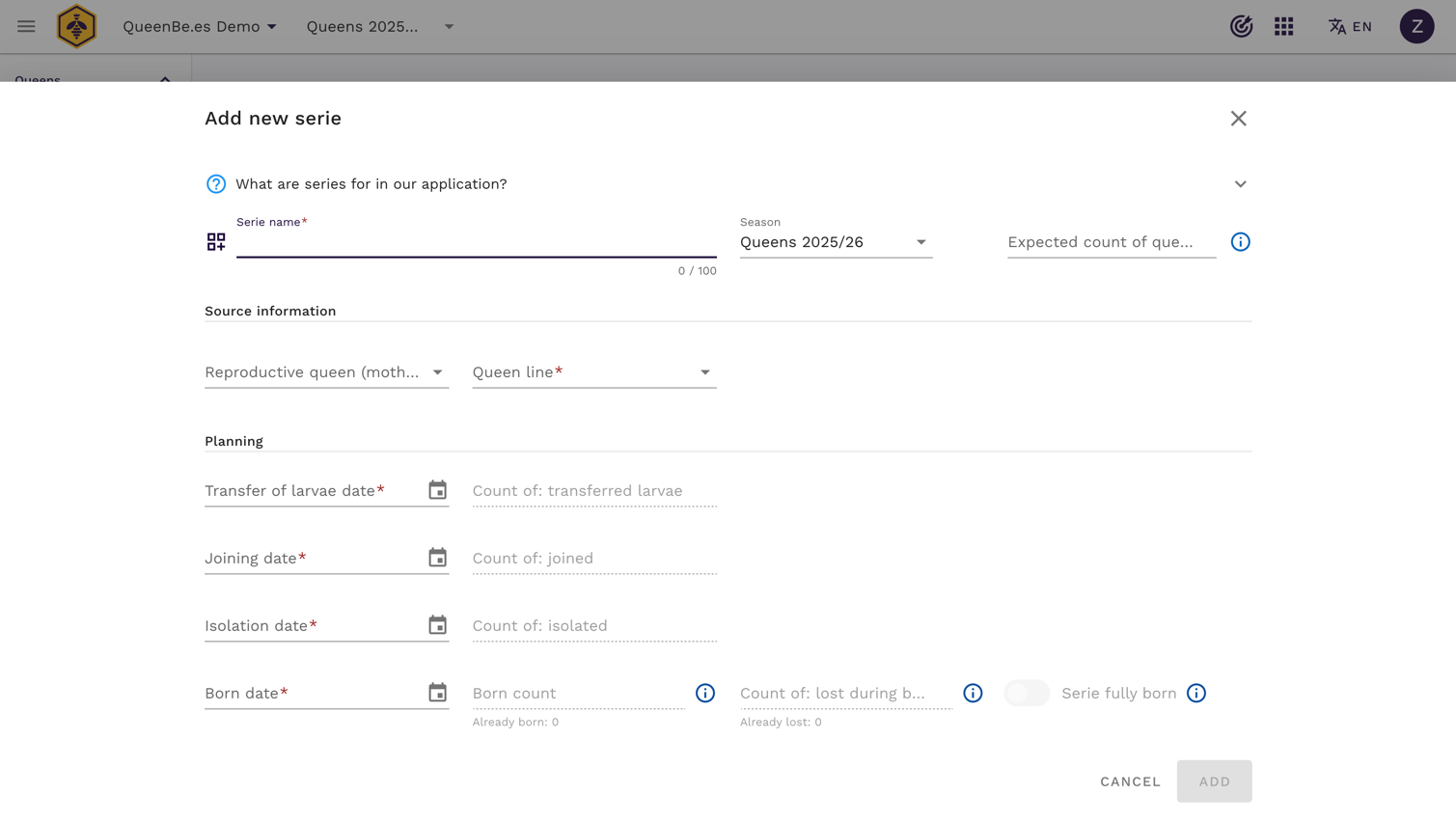
- The series creation dialog will open
Configure basic series parameters
- Series name: Descriptive name for easy identification (e.g., “Serie 1 - Sklenar A/10”)
- Season (optional): Choose breeding season to organize series within broader planning
- Expected quantity: Maximum number of queens you plan to produce (1-1000)
- Reproductive queen (optional): Select source queen from breeding registry for genetic tracking and automatic queen line assignment
- Queen line: Required genetic line - auto-filled when reproductive queen is selected
Configure breeding timeline The system requires you to set key dates in the queen development cycle:
- Transferred at: Date when larvae are grafted/transferred to queen cells (larval grafting)
- Joined at: Date when larvae are joined after larvae transfer to nurse hives
- Isolated at: Date when queen cells are moved to incubator for final development
- Born at: Expected emergence date when queens will be ready for use
Note
You can set either transfer or born at date and the system will automatically calculate the others based on the standard queen development cycle. All dates can be manually adjusted for your specific breeding conditions.
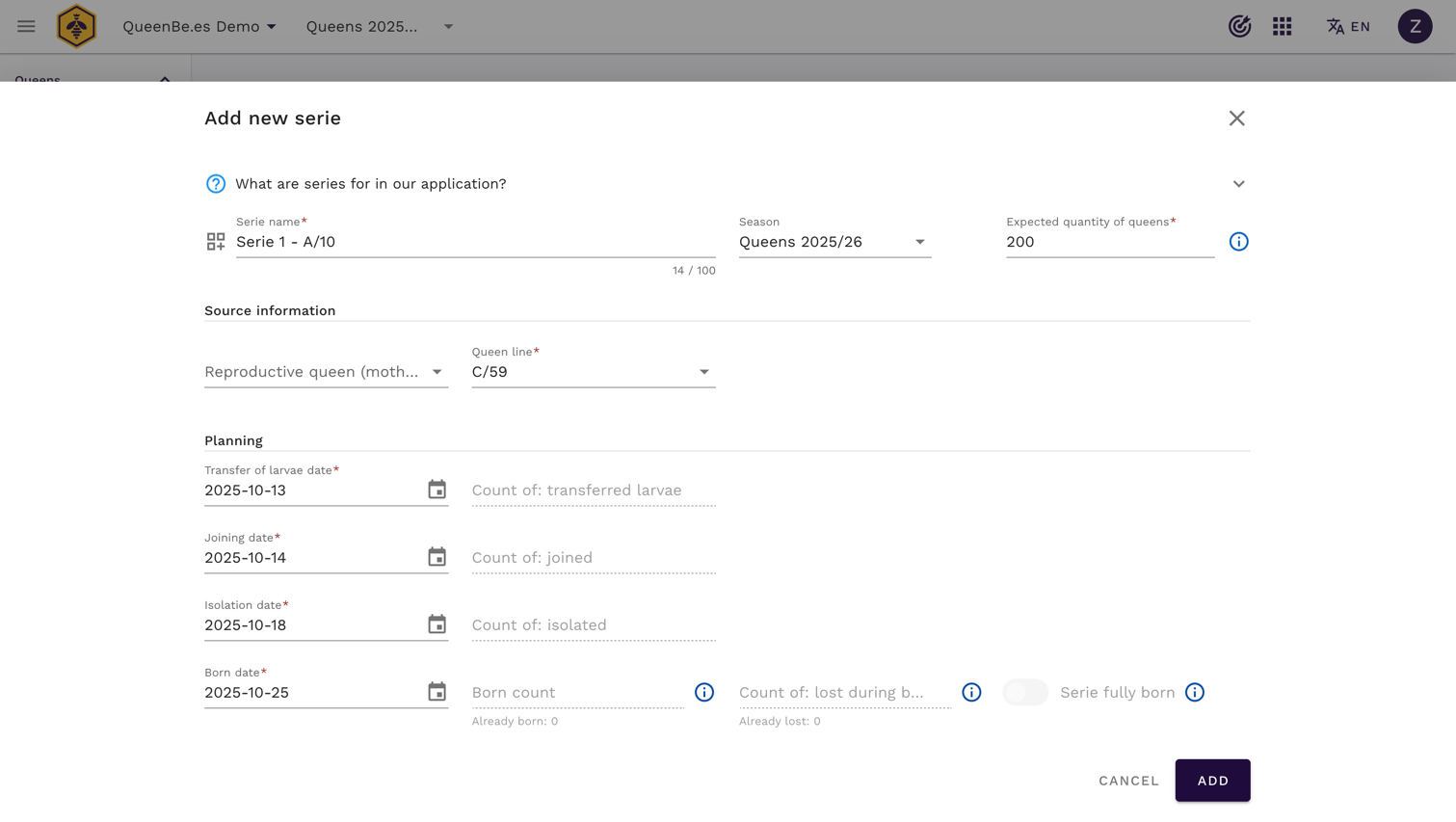
- Save and activate
- Review all parameters and save the series

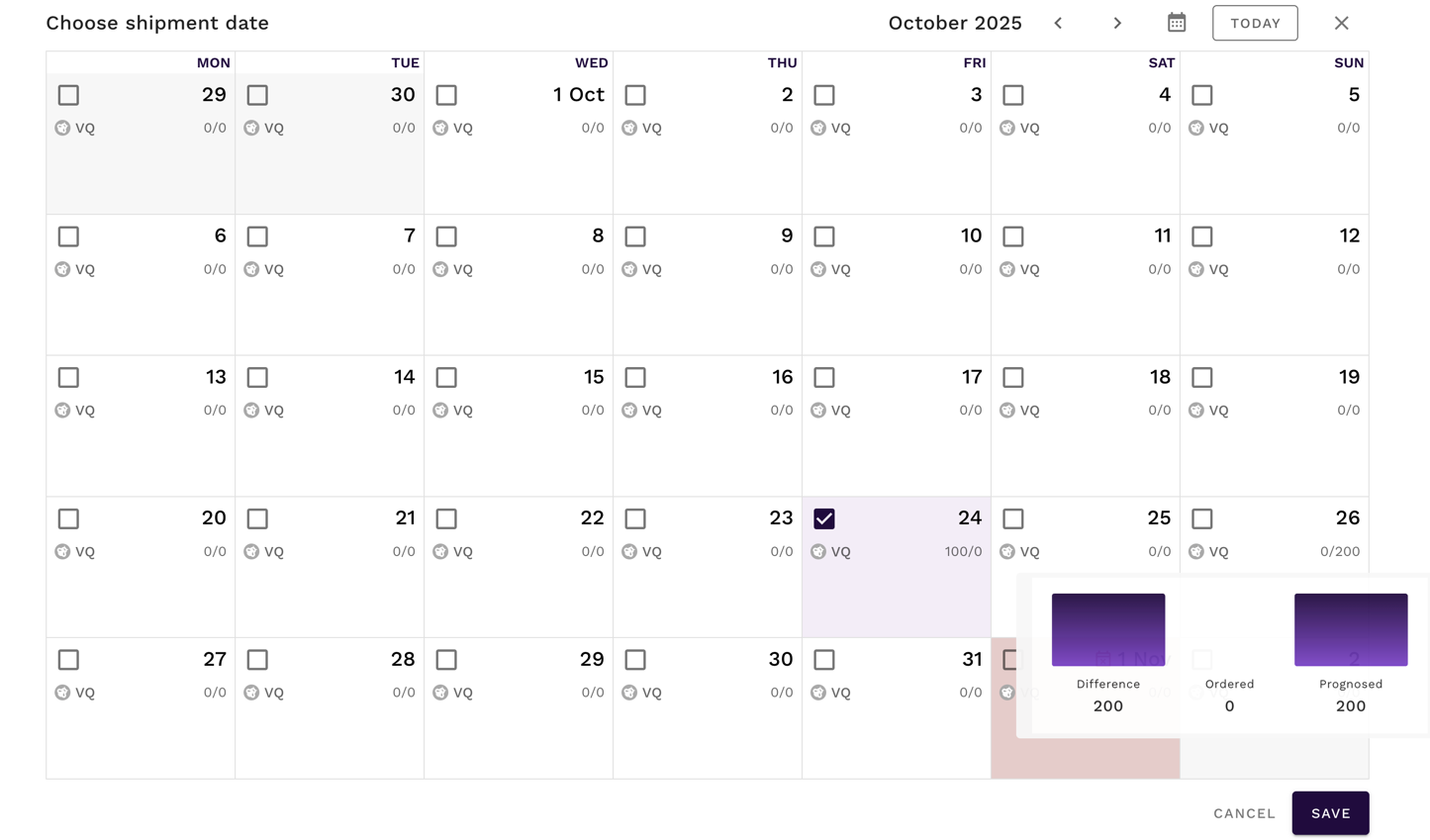
- Series becomes active and appears in your shipment calendar (1 day after the “Born at” date, as we are aiming for fully born queens)
- Review all parameters and save the series
Working with Series during breeding season
Once created, Queen Series integrate with your daily breeding workflow through the beekeeping tasks system.
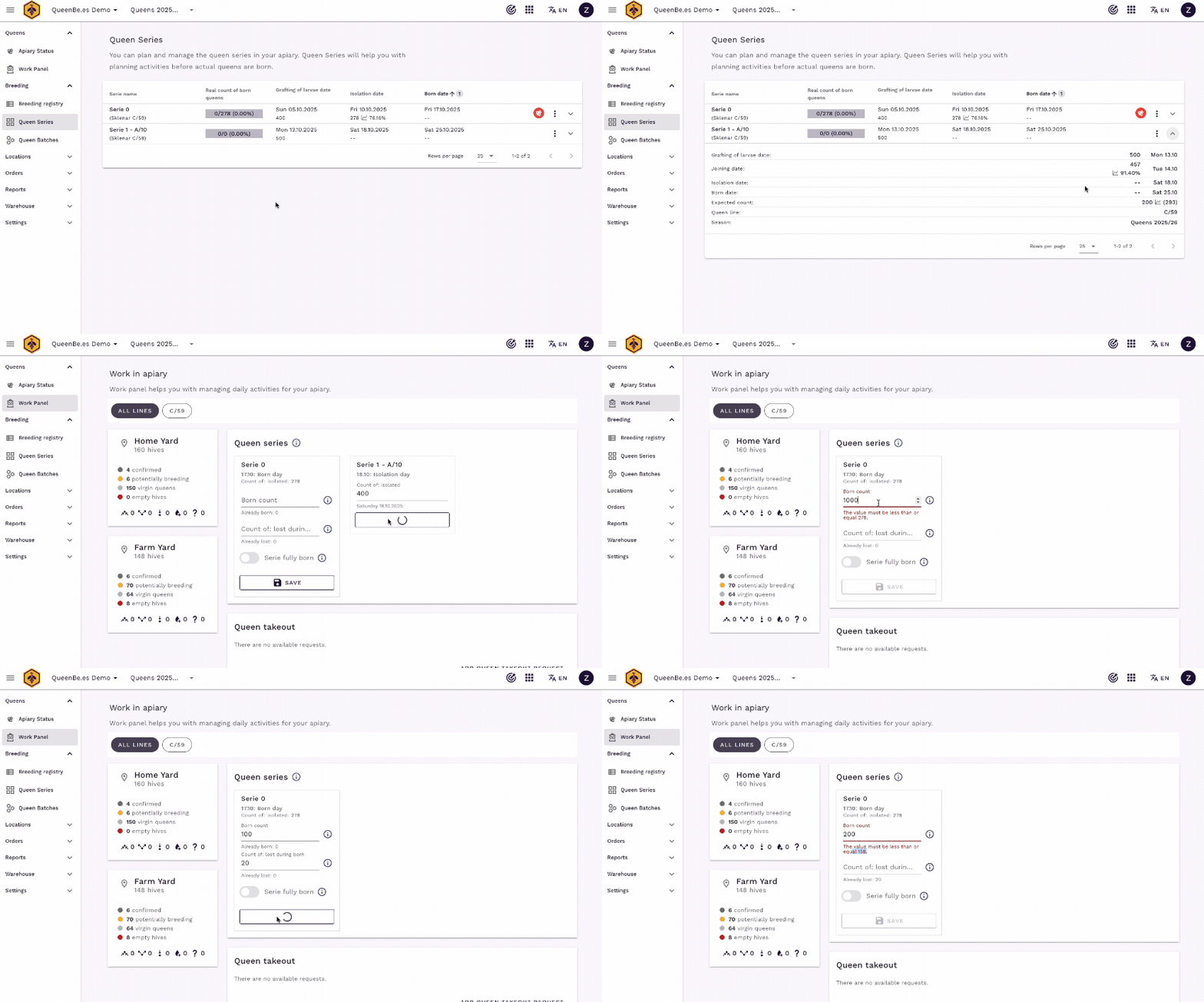
In main navigation, under Queens > Daily Work, you will see series with matching dates for you breeding activities

Daily task integration
On dates specified in your Series, relevant breeding tasks appear automatically:
- Grafting day: Record number of eggs successfully grafted
- Joined day: Track how many cells were developed in nursing colony
- Isolation day: Log number of cells isolated in incubator for final development
- Emergence day: Record actual queens emerged vs. losses. You can add this data multiple times as we know that queen emergence can span +/- 24h from expected date.
Recording development data
For each development stage, you can record actual quantities:
- Access series task: tasks appear on specified dates in your daily workflow
- Enter actual quantities: input real numbers for each stage, system will calculate efficiency percentages automatically. Series with clear status for the day will disappear from panel.
- Track losses and success rates: record born queens and losses at each stage to improve future planning
Alternative data entry
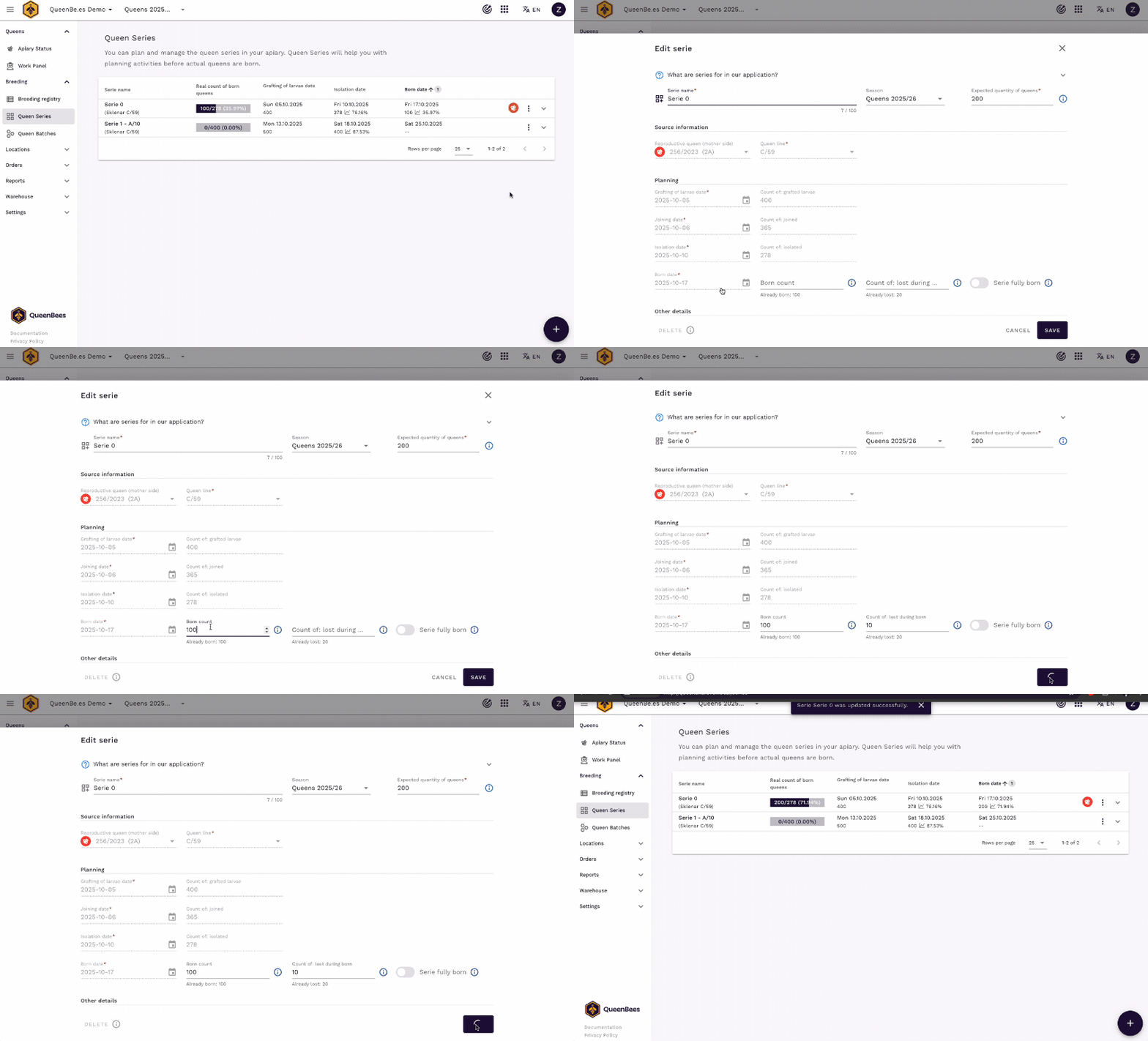
You can also update series data directly from the Series overview:
- Open specific series from the main Series list
- Edit development quantities in the series detail view
- Add notes about conditions or specific observations
- Save changes to update efficiency metrics
Series forecasting and predictions
One of the most powerful features of Queen Series is predictive forecasting based on your historical breeding data.
When you start using Series, the system uses conservative baseline predictions:
- Default efficiency: 80% success rate at each development stage
- Configurable rates: Adjust baseline percentages in apiary settings
After accumulating historical data, QueenBees switches to intelligent forecasting, based on weighted averages from your previous days.
Using forecasts for planning
Forecasting data helps with:
- Order management: Predict when queens will be available for customer orders
- Resource planning: Know how many larvae to graft for desired outcome
- Timeline optimization: Identify bottlenecks in your breeding process
- Daily activities planning: Plan your daily work based on planned series activities
Integration with orders and sales
Queen Series connect directly with QueenBees order management system to streamline customer communications and inventory planning.
Availability predictions
- Forecasted queens (born or queen cells) from active Series appear as available inventory on specific dates when choosing shipment date for an order
- System shows projected “one-day-old unmarked queens” (VQ) ready for sale
- Available queens count is compared with order quantities to prevent overbooking
Advanced series management
Multiple series coordination
Professional breeders often run multiple Series in the season one after another. To create overall plan for the season follow this steps:
- In the action button, choose Add multiple series button
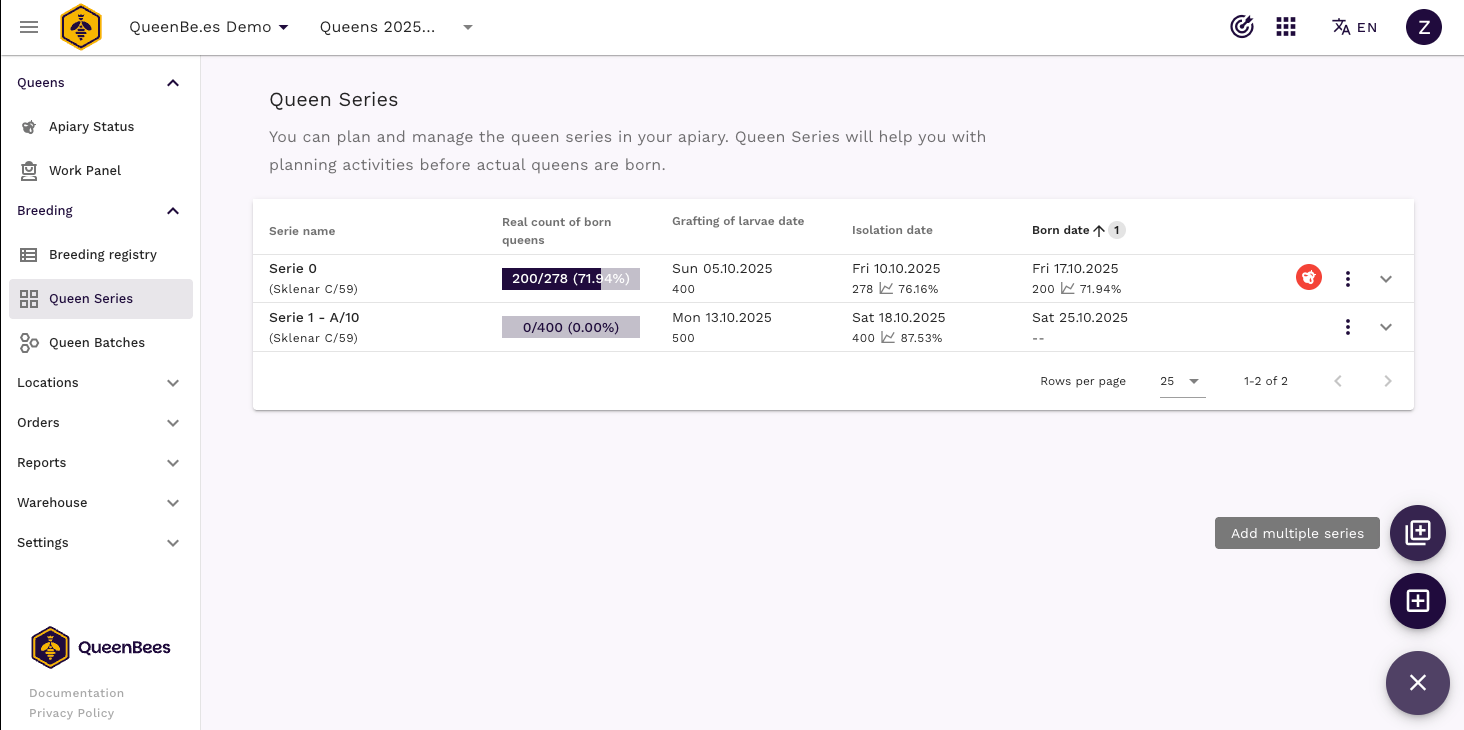
- Fill the details in the modal window:
- series prefix for easy identification
- Born date of first and last expected series.
- Expected quantity of queens per serie
- (optional) add information about season and reproductive queen. If there is no reproductive queen selected, system will not assign queen line automatically and you need to choose it manually
- Review the series list in window on the right side.
- Click Add to create all series at once
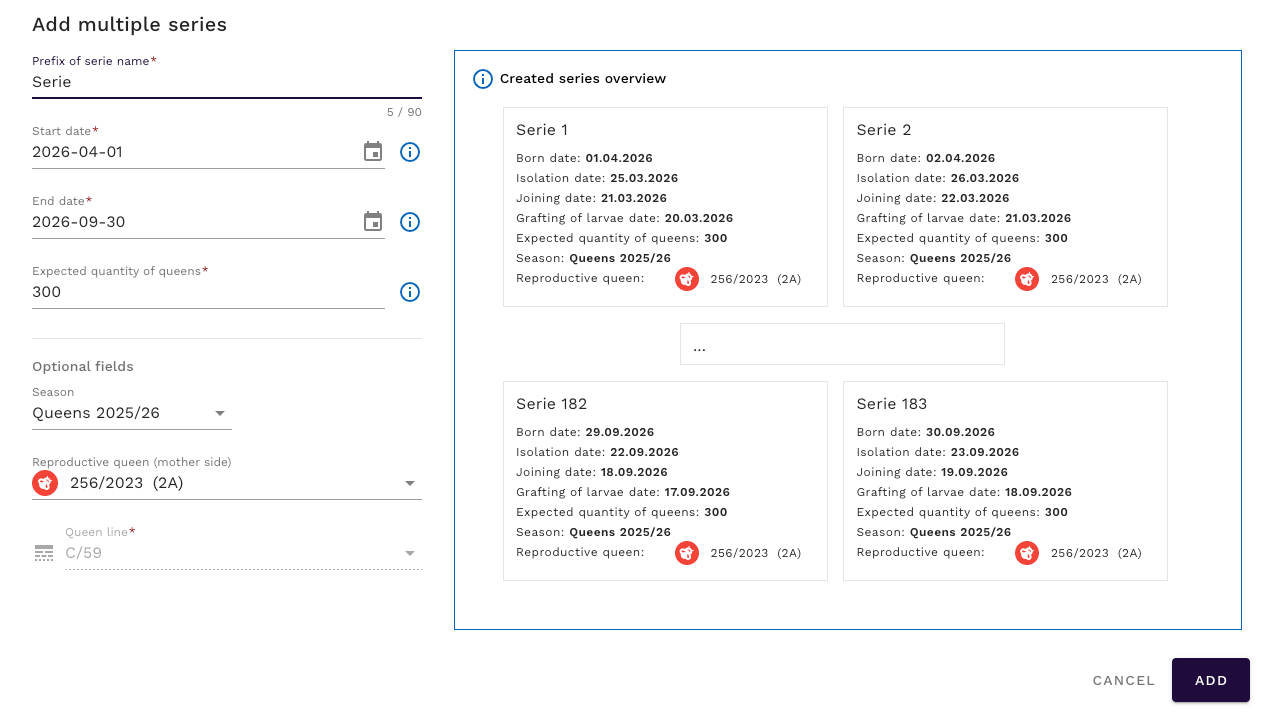
- Review added series in the main overview

Next steps
After mastering Queen Series, explore related features to optimize your entire breeding operation:
- Queen Batches - Distribute emerged queens efficiently across your apiaries
- Breeding Registry - Maintain detailed genetic records and lineage tracking
- Breeding Seasons - Plan and organize your annual breeding calendar
- Order Management - Connect breeding predictions with customer orders